

Log scope
Environment indicates where an application runs, and Source indicates how the invocation was initiated. Invocation logs cover the platform’s built-in environment as well as deployed environments created in Environments:
In the built-in environment, test runs in Studio show Debugging as the Source. Deployed environments carry only Web app and Service API calls.
Docker Compose deployments display invocation logs only for the built-in environment.
Query logs
The page displays records from the Last 24 hours by default. The summary line above the table displays “N records · M failed”, and the statistics update according to the active filters.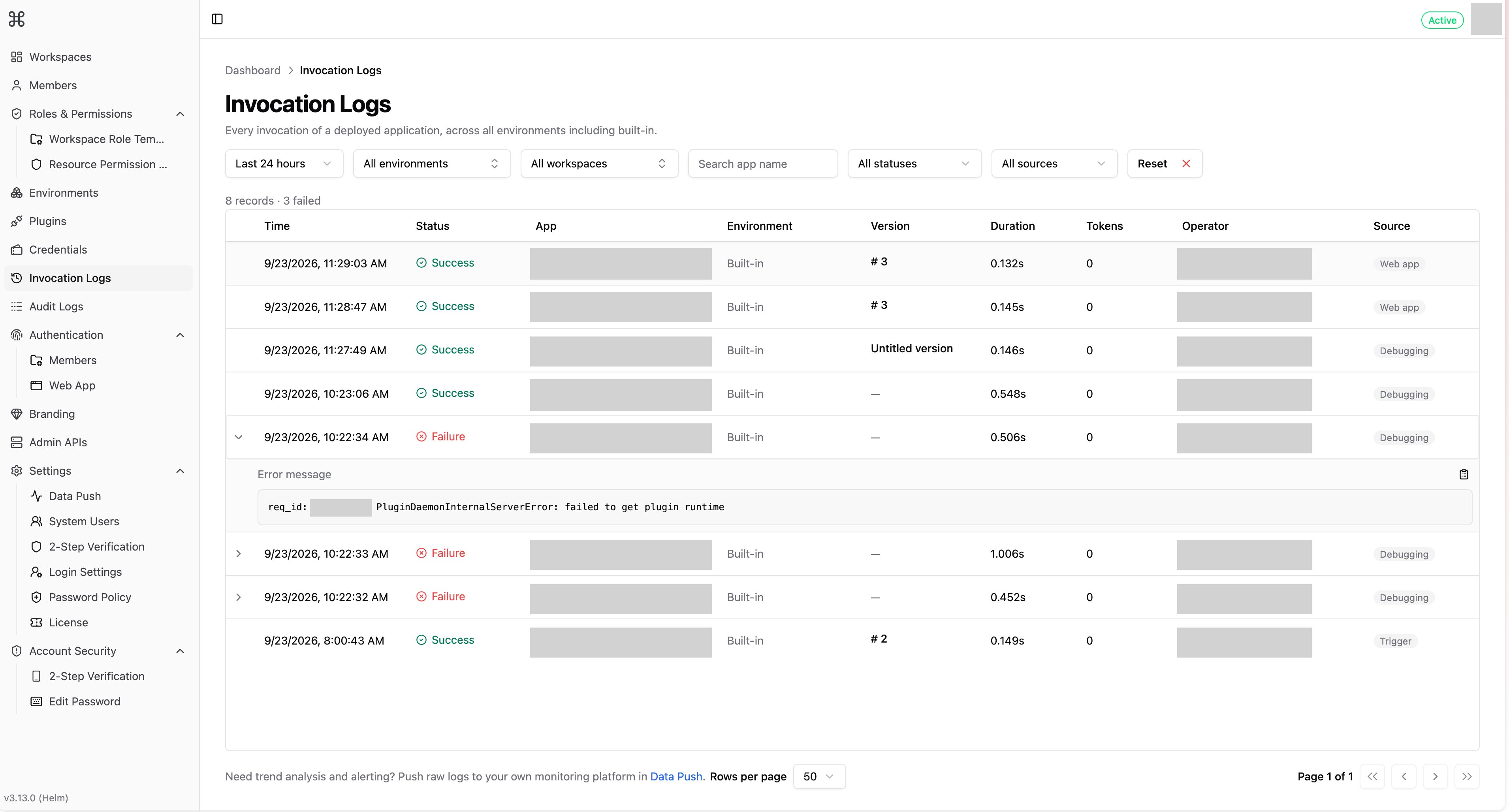
- Time range: Switch to Last 7 days, Last 30 days, or Custom range.
- Environment, workspace, status, and source: Can be combined. Set the status to Failure to view only failed invocations.
- Search app name: Matches application names containing the search term, case-insensitive.
Invocation details
The list displays the Time, Status, App, Environment, Version, Duration, Tokens, Operator, and Source for each invocation.- Version: Shows the version name, or its number (
# N) or Untitled version when it has none.—means the record has no version. - Operator: Shows the member’s name for calls made by a workspace member, the session ID (
session_id) for web app end users, and theuservalue sent with Service API calls in deployed environments.
Log retention
Records from deployed environments are kept for 30 days by default, and a daily cleanup deletes older ones. Built-in records stay in Dify but are hidden once they’re older than the retention period. The period applies to every time range, including Custom range. To change the retention period, setenterprise.appRunnerLog.retentionDays (APP_RUNNER_LOG_RETENTION_DAYS, minimum 1). Lowering it deletes older deployed-environment records at the next daily cleanup. See Deployed Environments (App Runner) for the setting.