1. 在 Azure 中创建一个新的应用程序
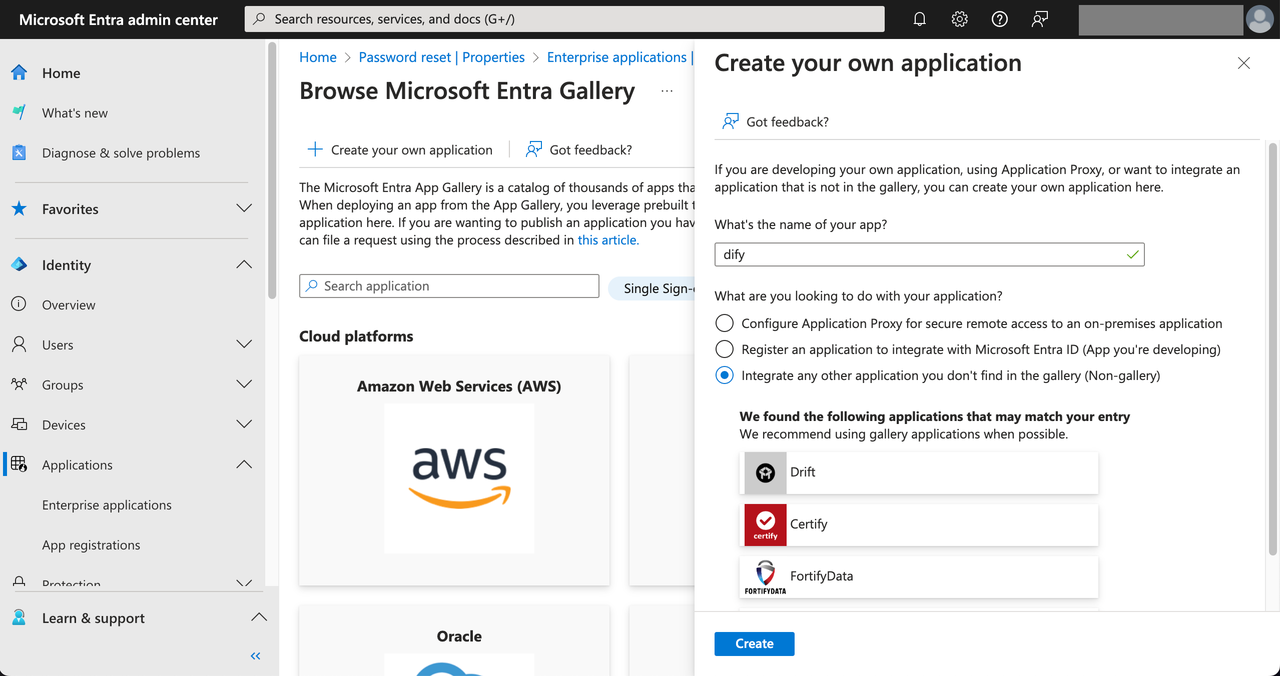
访问 Azure 管理员后台页,导航到 Applications 页,轻点 New application。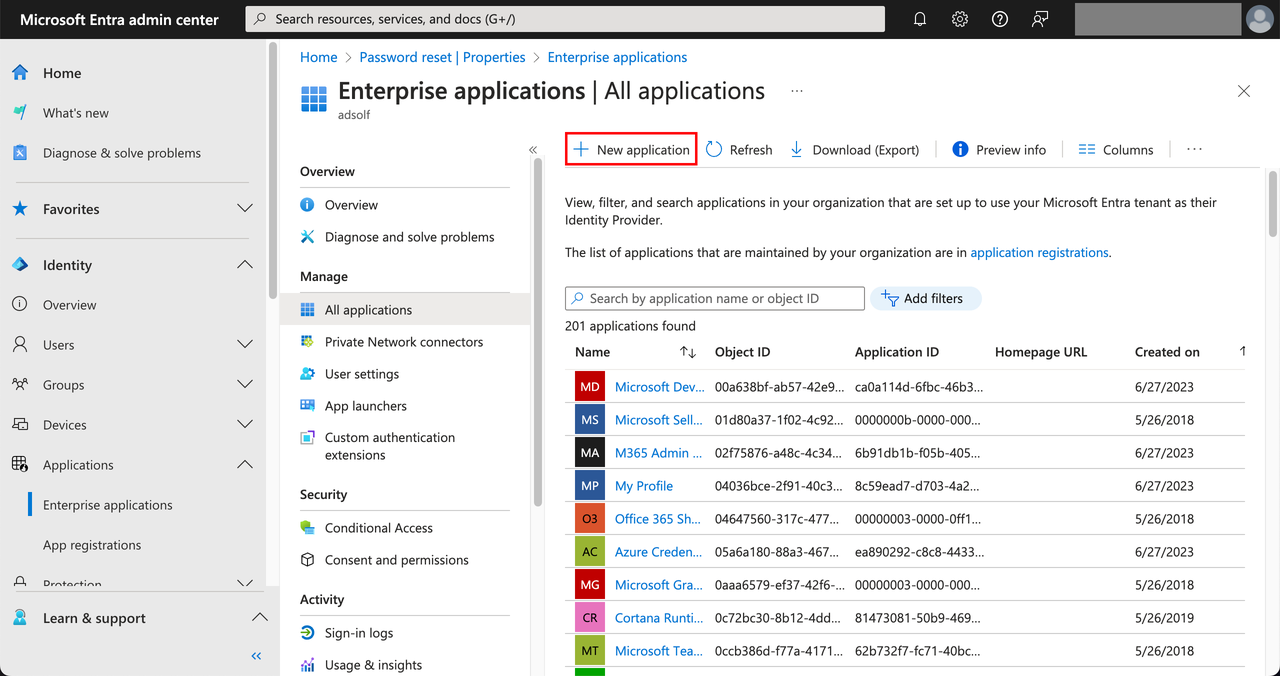 选择 Create your own application,输入应用名称例如 dify,然后选择 Integrate any other application you don’t find in the gallery (Non-gallery),然后轻点 Create。
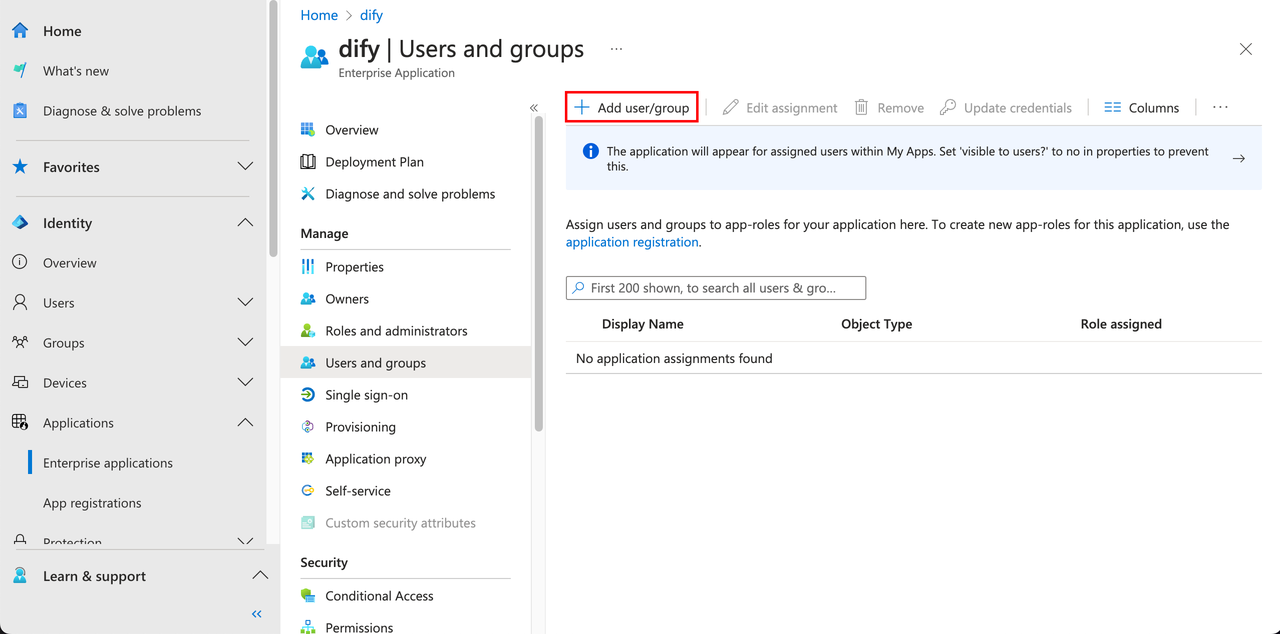
 接下来需要为该应用程序分配可见成员,获得授权的 Azure 成员才能够被允许登录 Dify 企业版。选择应用程序左侧的 Users and groups,然后轻点 Add user/group。
2. 配置应用程序
点击应用左侧 Manage 下方的 Single sign-on 选项,然后选择 SAML 选项。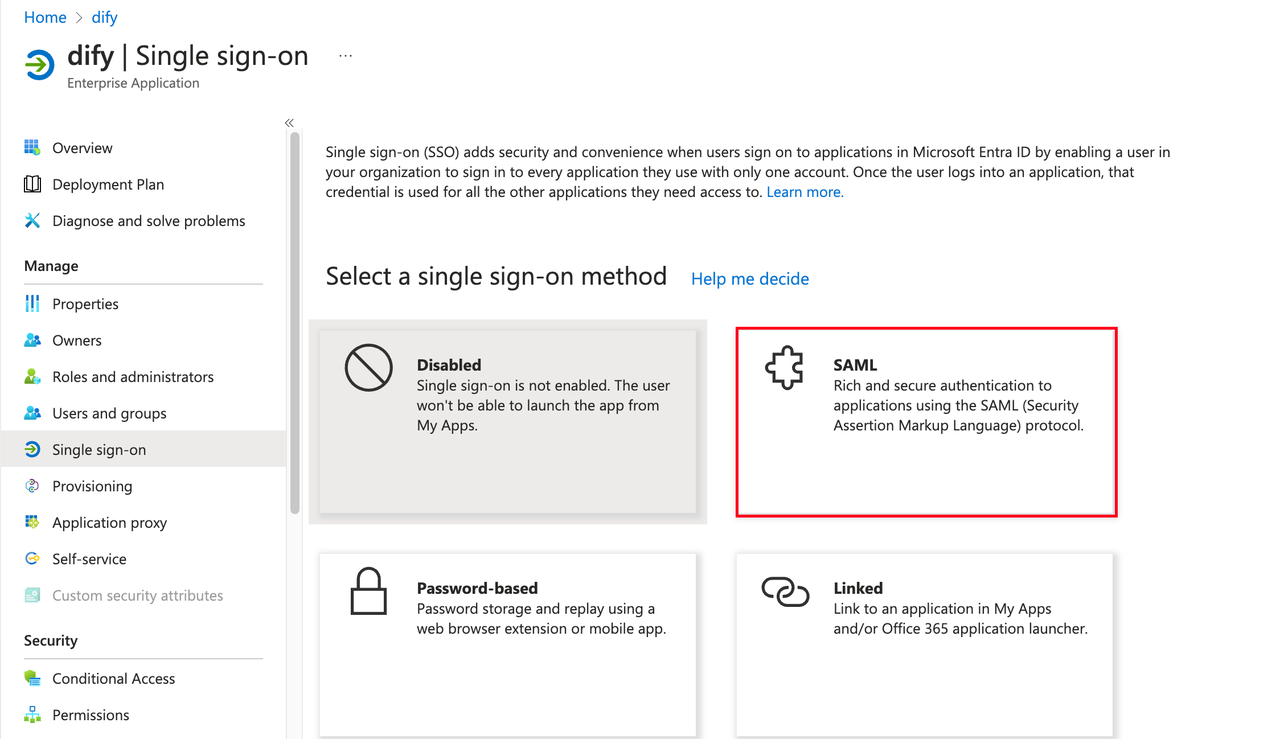 编辑 SAML 配置,在 Entity ID 和 Reply URL 字段内填写 Dify 企业版的 ACS URL。
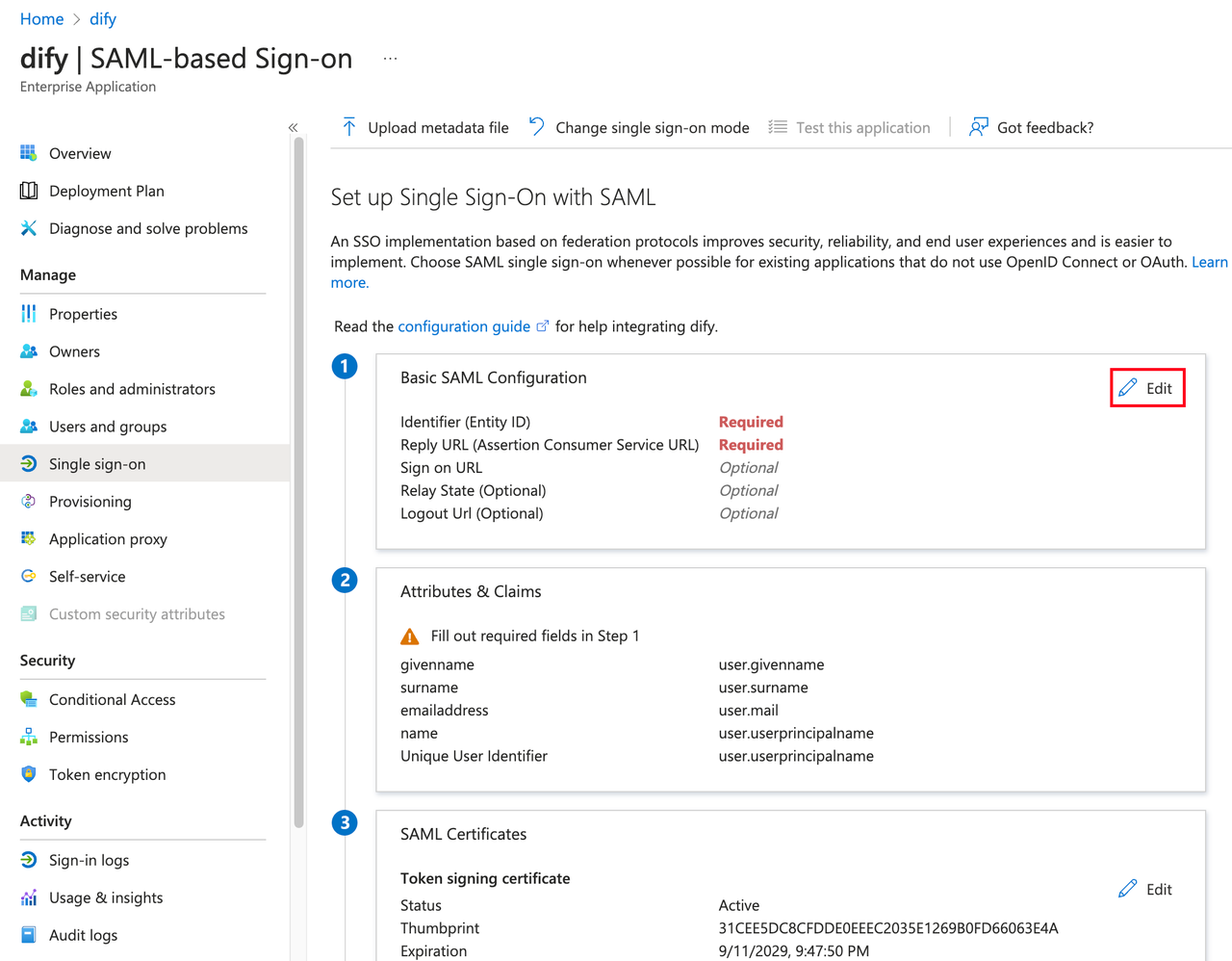
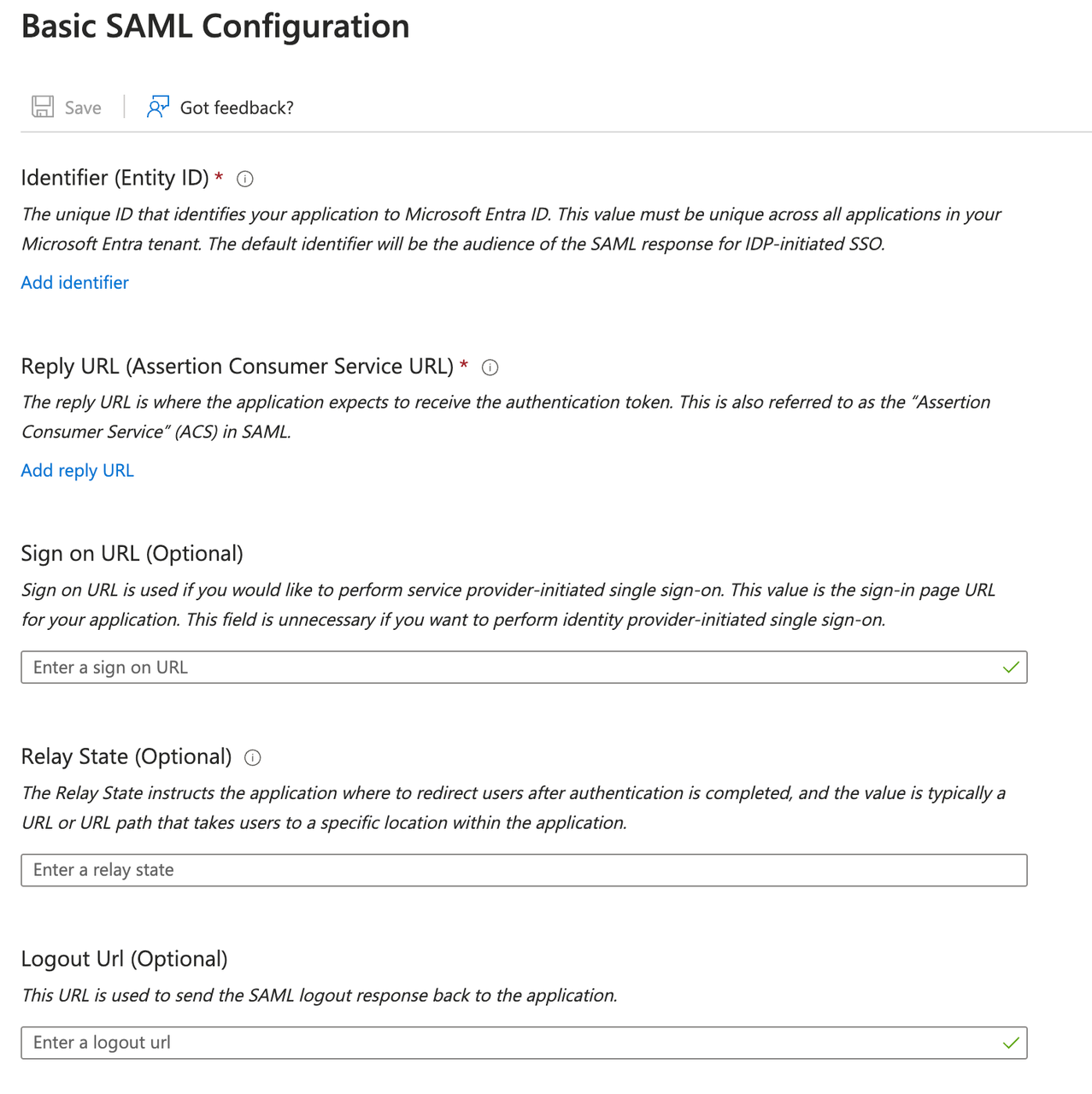
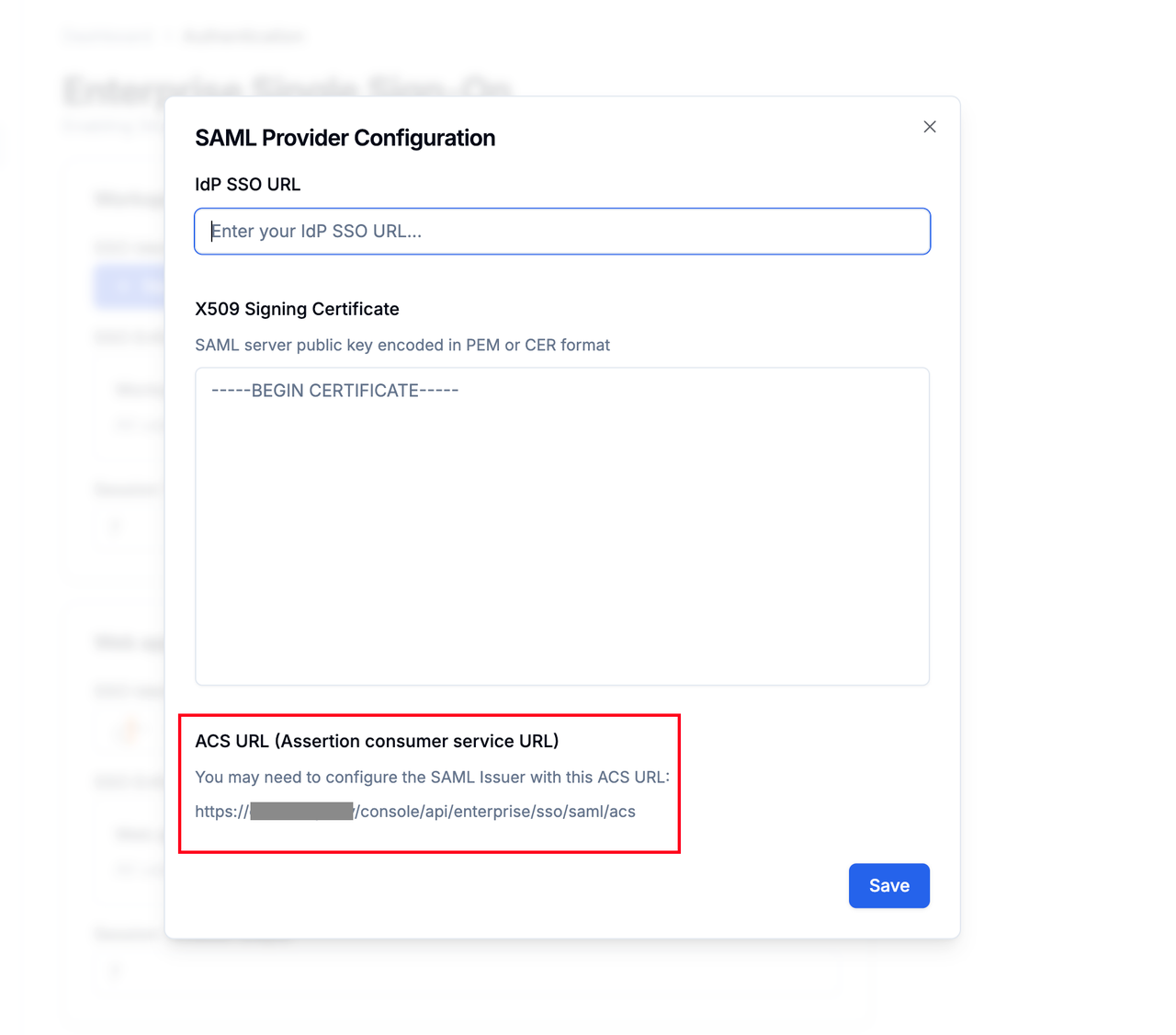 它通常为以下格式:
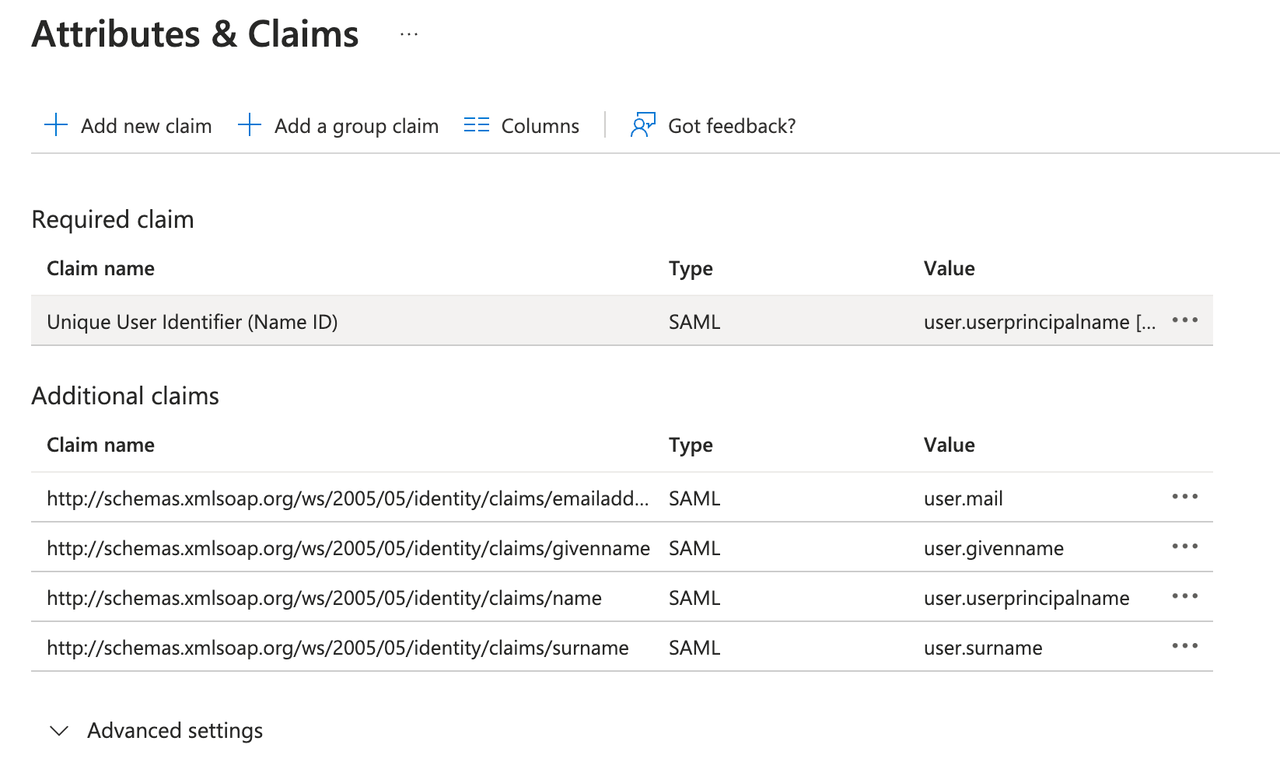
进阶配置:编辑属性和声明
- 单击 Required claim 下的 Unique User Identifier (Name ID)。
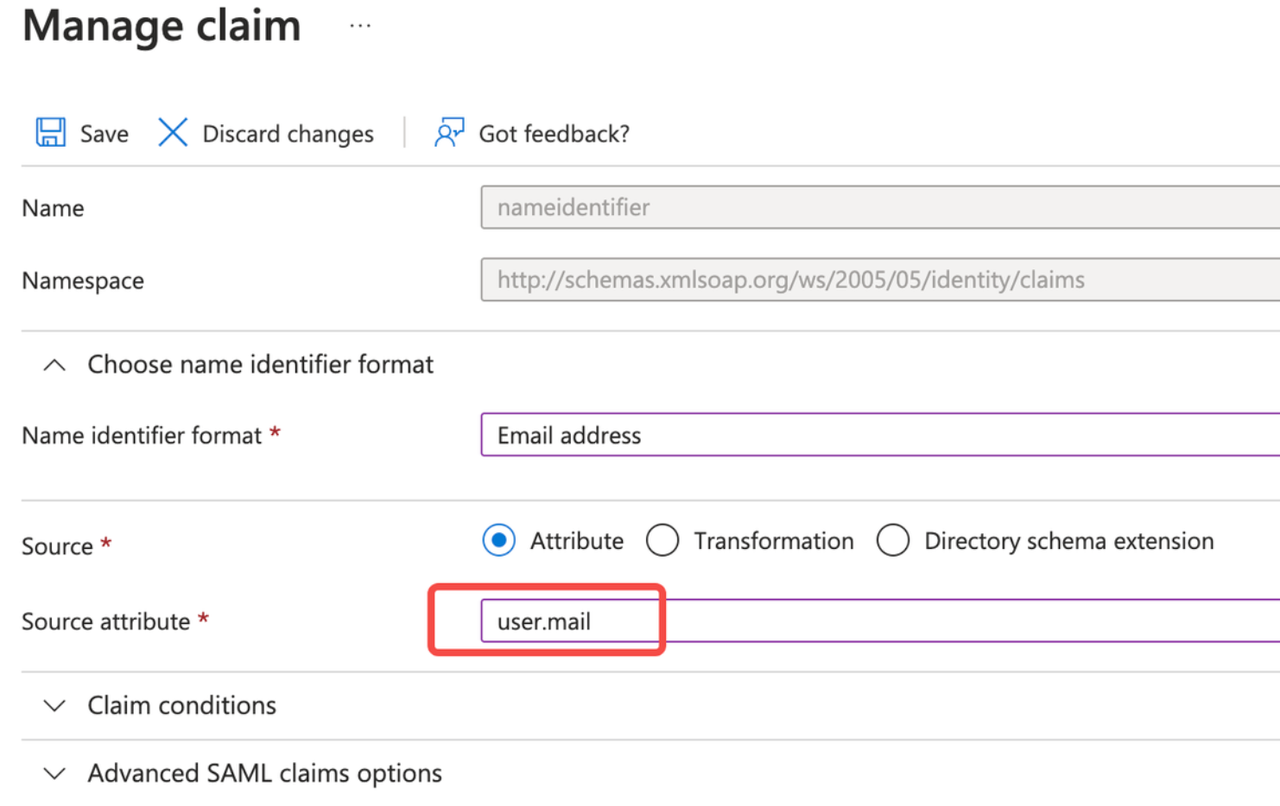
- 将源属性修改为
user.mail。
3. 完成 Dify 企业版后台配置
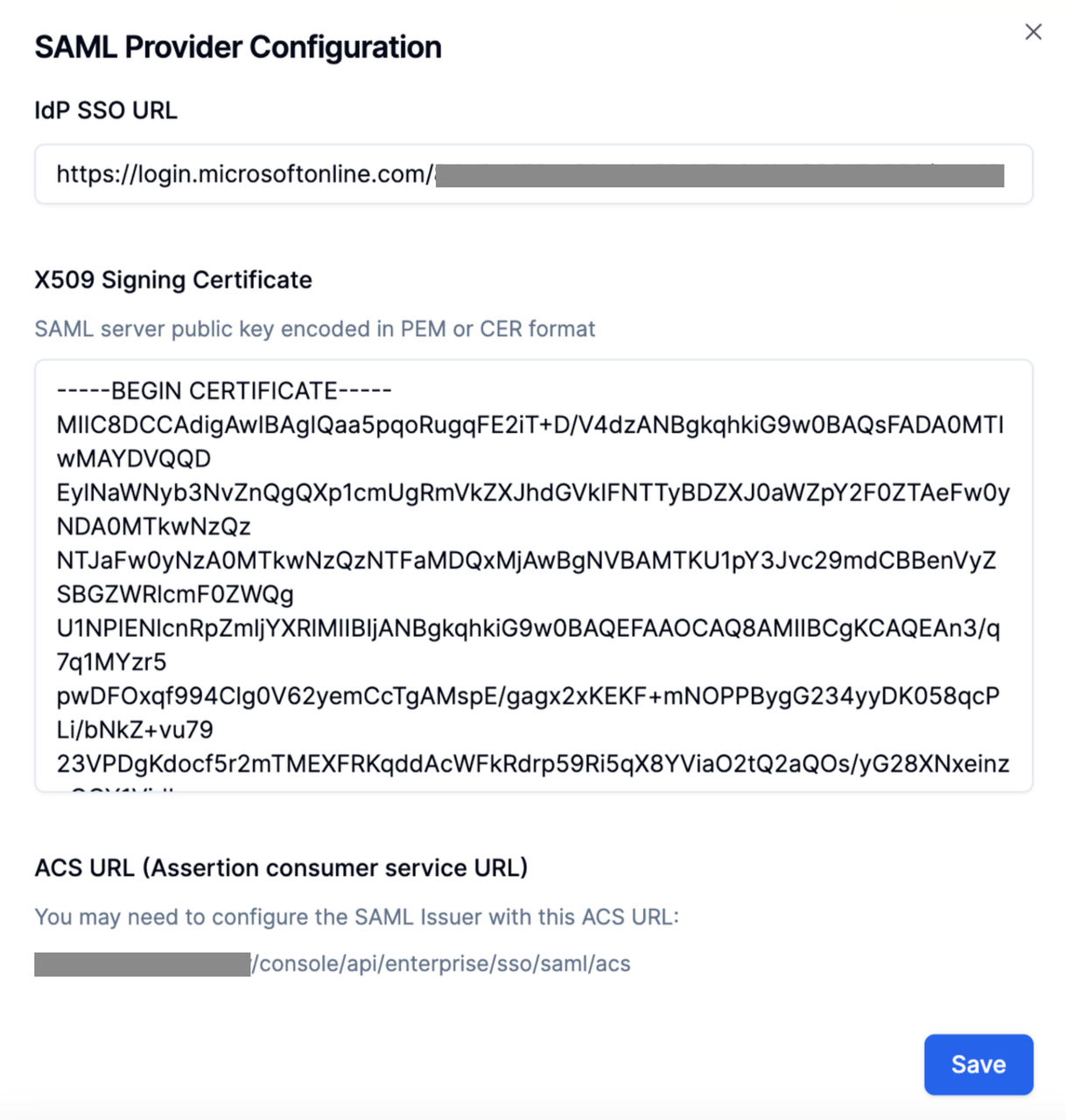
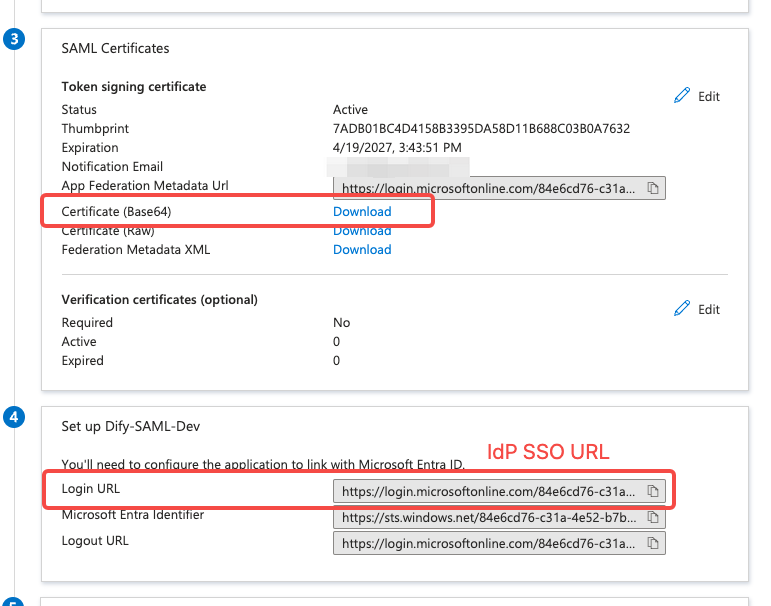
系统管理员点击 Dify 企业版的 Authentication 页,轻点 ”+ New Identity Provider → New SAML Provider”,- 在 IdP SSO URL 栏中填写 Azure 应用程序的 Login URL;
- 在 X509 Signing Certificate 栏中填写已下载 Certificate 文件中的内容;