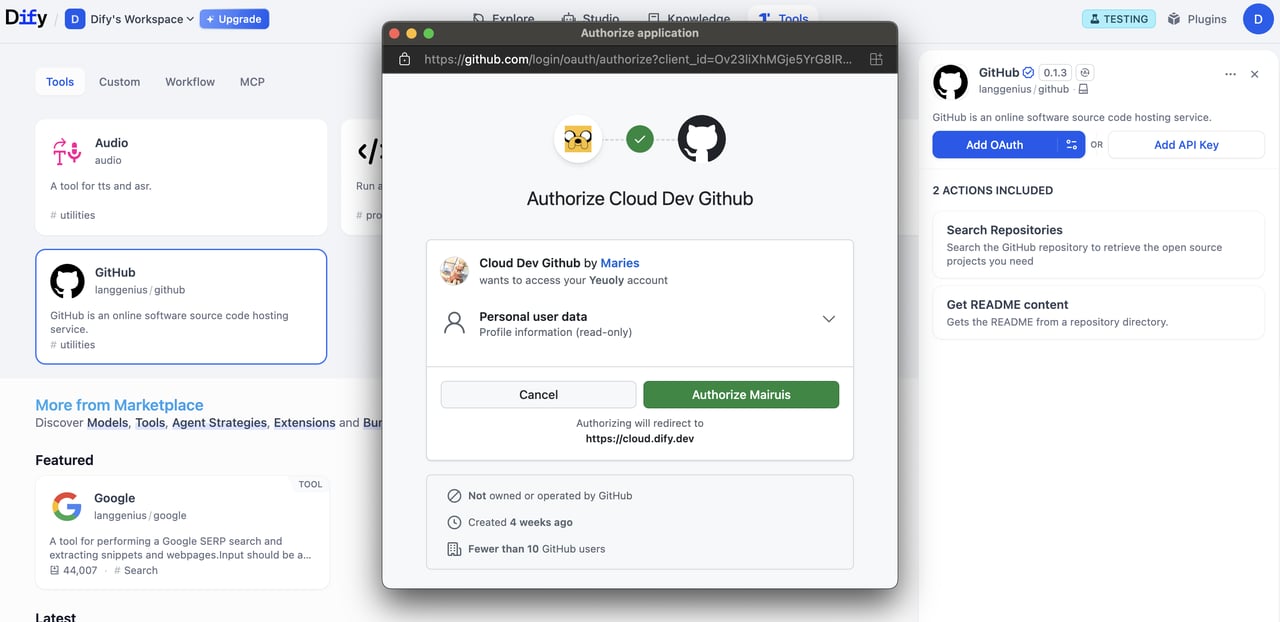
このガイドでは、ツールプラグインにOAuthサポートを組み込む方法を説明します。
OAuthは、GmailやGitHubなどのサードパーティサービスからユーザーデータにアクセスする必要があるツールプラグインを認可するためのより優れた方法です。ユーザーがAPIキーを手動で入力する必要がなく、OAuthを使用することでツールはユーザーの明示的な同意のもとでユーザーに代わって動作できます。
DifyにおけるOAuthには、開発者が理解し設計すべき2つの別々のフローがあります。
フロー1: OAuthクライアントセットアップ(管理者/開発者フロー)
Dify Cloudでは、Difyチームが人気のあるツールプラグイン用のOAuthアプリを作成し、OAuthクライアントをセットアップするため、ユーザーは自分で設定する手間が省けます。セルフホストDifyインスタンスの管理者は、このセットアップフローを実行する必要があります。
Dify インスタンスの管理者または開発者は、まずサードパーティサービスに信頼できるアプリケーションとして OAuth アプリを登録します。これにより、Dify ツールプロバイダーを OAuth クライアントとして設定するために必要な資格情報が得られます。
例として、Dify の Gmail ツールプロバイダー用の OAuth クライアントをセットアップする手順を示します:
- APIs & Services > OAuth consent screen に移動します。
- 公開プラグインの場合は External ユーザータイプを選択します。
- アプリケーション名、ユーザーサポートメール、開発者連絡先を入力します。
- 必要に応じて承認済みドメインを追加します。
- テストの場合:Test users セクションでテストユーザーを追加します。
- APIs & Services > Credentials に移動します。
- Create Credentials > OAuth 2.0 Client IDs をクリックします。
- Web application タイプを選択します。
client_id と client_secret が生成されます。これらを資格情報として保存します。
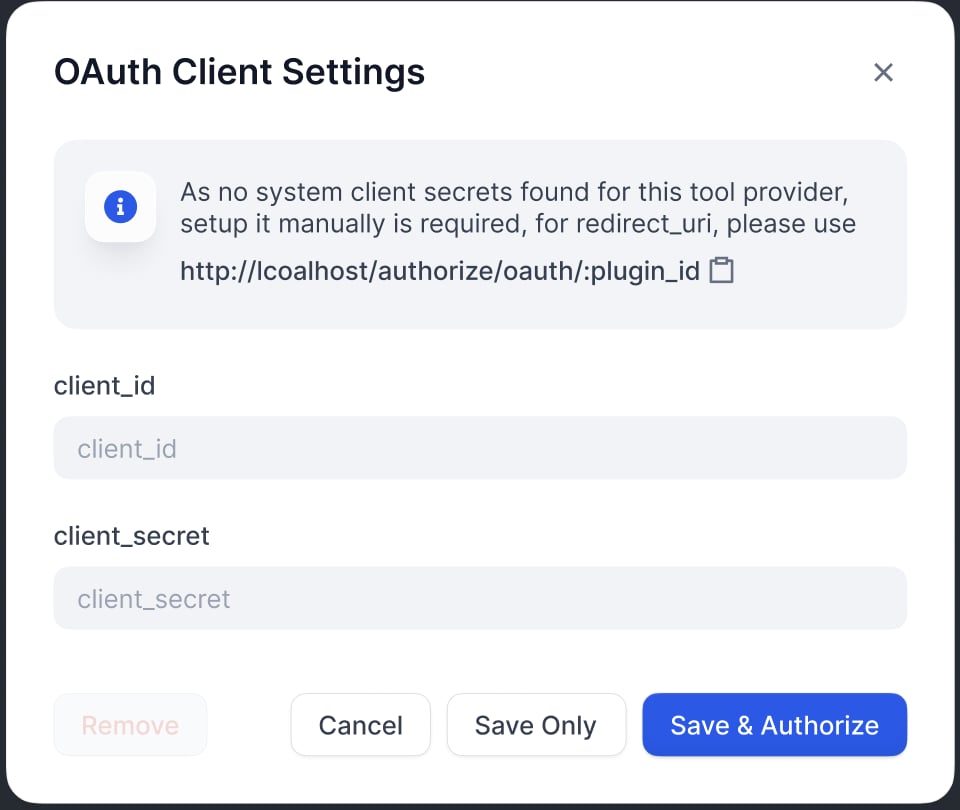
OAuth クライアント設定ポップアップに client_id と client_secret を入力して、ツールプロバイダーをクライアントとしてセットアップします。
Difyが生成したリダイレクトURIをGoogle OAuthクライアントのページに登録します:Difyはredirect_uriをOAuthクライアント設定ポップアップに表示します。通常、次の形式に従います:https://{your-dify-domain}/console/api/oauth/plugin/{plugin-id}/{provider-name}/{tool-name}/callback
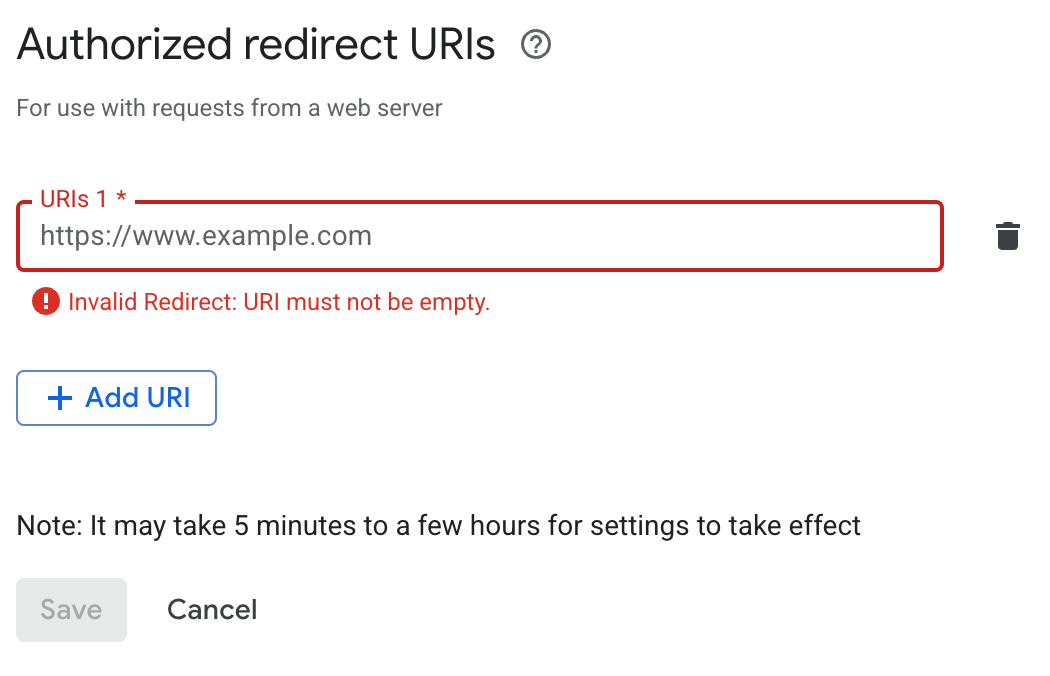
セルフホストDifyの場合、your-dify-domainはCONSOLE_WEB_URLと一致する必要があります。
各サービスには固有の要件があるため、統合するサービスの特定のOAuthドキュメントを必ず参照してください。
フロー2: ユーザー認可(Difyユーザーフロー)
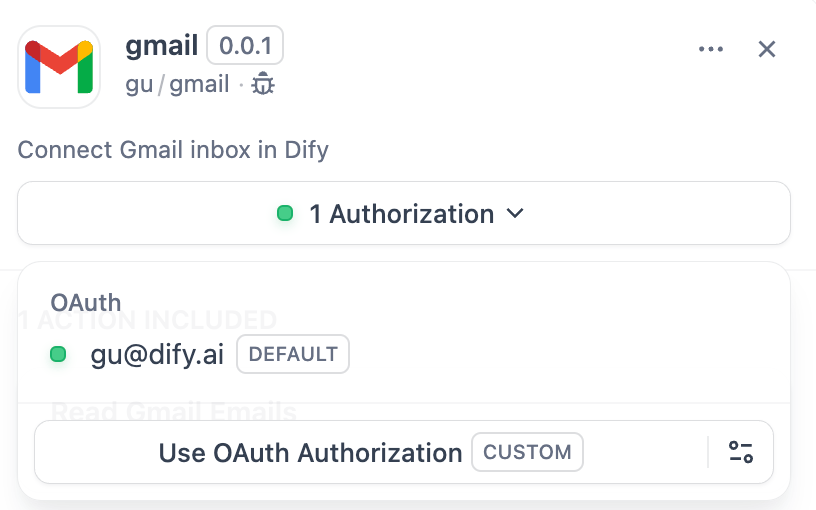
OAuthクライアントを設定した後、個々のDifyユーザーは、プラグインが自分の個人アカウントにアクセスすることを認可できるようになります。
1. プロバイダーマニフェストでOAuthスキーマを定義する
プロバイダーマニフェストの oauth_schema セクションは、プラグインの OAuth 設定に必要な資格情報と、OAuth フローが生成するものを Dify に伝えます。OAuth をセットアップするには、2 つのスキーマが必要です:
client_schema
OAuthクライアントセットアップの入力を定義します:
oauth_schema:
client_schema:
- name: "client_id"
type: "secret-input"
required: true
url: "https://developers.google.com/identity/protocols/oauth2"
- name: "client_secret"
type: "secret-input"
required: true
url フィールドはサードパーティサービスのヘルプドキュメントにリンクし、管理者や開発者がセットアップ時に参照できるようにします。
credentials_schema
ユーザー認可フローが生成するものを指定します(Difyがこれらを自動的に管理します):
# also under oauth_schema
credentials_schema:
- name: "access_token"
type: "secret-input"
- name: "refresh_token"
type: "secret-input"
- name: "expires_at"
type: "secret-input"
OAuth と API キーの両方の認証オプションを提供するには、oauth_schema と credentials_for_provider を一緒に含めてください。
2. ツールプロバイダーで必要なOAuthメソッドを完成させる
ToolProviderを実装している場所に、以下のインポートを追加します:
from dify_plugin.entities.oauth import ToolOAuthCredentials
from dify_plugin.errors.tool import ToolProviderCredentialValidationError, ToolProviderOAuthError
ToolProviderクラスは、これら3つのOAuthメソッドを実装する必要があります(例としてGmailProviderを使用):
ToolOAuthCredentials の資格情報に client_secret を返してはなりません。返すとセキュリティ上の問題につながる可能性があります。
def _oauth_get_authorization_url(self, redirect_uri: str, system_credentials: Mapping[str, Any]) -> str:
"""
Generate the authorization URL using credentials from OAuth Client Setup Flow.
This URL is where users grant permissions.
"""
# Generate random state for CSRF protection (recommended for all OAuth flows)
state = secrets.token_urlsafe(16)
# Define Gmail-specific scopes - request minimal necessary permissions
scope = "read:user read:data" # Replace with your required scopes
# Assemble Gmail-specific payload
params = {
"client_id": system_credentials["client_id"], # From OAuth Client Setup
"redirect_uri": redirect_uri, # Dify generates this - DON'T modify
"scope": scope,
"response_type": "code", # Standard OAuth authorization code flow
"access_type": "offline", # Critical: gets refresh token (if supported)
"prompt": "consent", # Forces reauth when scopes change (if supported)
"state": state, # CSRF protection
}
return f"{self._AUTH_URL}?{urllib.parse.urlencode(params)}"
def _oauth_get_credentials(
self, redirect_uri: str, system_credentials: Mapping[str, Any], request: Request
) -> ToolOAuthCredentials:
"""
Exchange authorization code for access token and refresh token. This is called
to create ONE credential set for one account connection.
"""
# Extract authorization code from OAuth callback
code = request.args.get("code")
if not code:
raise ToolProviderOAuthError("Authorization code not provided")
# Check for authorization errors from OAuth provider
error = request.args.get("error")
if error:
error_description = request.args.get("error_description", "")
raise ToolProviderOAuthError(f"OAuth authorization failed: {error} - {error_description}")
# Exchange authorization code for tokens using OAuth Client Setup credentials
# Assemble Gmail-specific payload
data = {
"client_id": system_credentials["client_id"], # From OAuth Client Setup
"client_secret": system_credentials["client_secret"], # From OAuth Client Setup
"code": code, # From user's authorization
"grant_type": "authorization_code", # Standard OAuth flow type
"redirect_uri": redirect_uri, # Must exactly match authorization URL
}
headers = {"Content-Type": "application/x-www-form-urlencoded"}
try:
response = requests.post(
self._TOKEN_URL,
data=data,
headers=headers,
timeout=10
)
response.raise_for_status()
token_data = response.json()
# Handle OAuth provider errors in response
if "error" in token_data:
error_desc = token_data.get('error_description', token_data['error'])
raise ToolProviderOAuthError(f"Token exchange failed: {error_desc}")
access_token = token_data.get("access_token")
if not access_token:
raise ToolProviderOAuthError("No access token received from provider")
# Build credentials dict matching your credentials_schema
credentials = {
"access_token": access_token,
"token_type": token_data.get("token_type", "Bearer"),
}
# Include refresh token if provided (critical for long-term access)
refresh_token = token_data.get("refresh_token")
if refresh_token:
credentials["refresh_token"] = refresh_token
# Handle token expiration - some providers don't provide expires_in
expires_in = token_data.get("expires_in", 3600) # Default to 1 hour
expires_at = int(time.time()) + expires_in
return ToolOAuthCredentials(credentials=credentials, expires_at=expires_at)
except requests.RequestException as e:
raise ToolProviderOAuthError(f"Network error during token exchange: {str(e)}")
except Exception as e:
raise ToolProviderOAuthError(f"Failed to exchange authorization code: {str(e)}")
def _oauth_refresh_credentials(
self, redirect_uri: str, system_credentials: Mapping[str, Any], credentials: Mapping[str, Any]
) -> ToolOAuthCredentials:
"""
Refresh the credentials using the refresh token.
Dify calls this automatically when tokens expire.
"""
refresh_token = credentials.get("refresh_token")
if not refresh_token:
raise ToolProviderOAuthError("No refresh token available")
# Standard OAuth refresh token flow
data = {
"client_id": system_credentials["client_id"], # From OAuth Client Setup
"client_secret": system_credentials["client_secret"], # From OAuth Client Setup
"refresh_token": refresh_token, # From previous authorization
"grant_type": "refresh_token", # OAuth refresh flow
}
headers = {"Content-Type": "application/x-www-form-urlencoded"}
try:
response = requests.post(
self._TOKEN_URL,
data=data,
headers=headers,
timeout=10
)
response.raise_for_status()
token_data = response.json()
# Handle refresh errors
if "error" in token_data:
error_desc = token_data.get('error_description', token_data['error'])
raise ToolProviderOAuthError(f"Token refresh failed: {error_desc}")
access_token = token_data.get("access_token")
if not access_token:
raise ToolProviderOAuthError("No access token received from provider")
# Build new credentials, preserving existing refresh token
new_credentials = {
"access_token": access_token,
"token_type": token_data.get("token_type", "Bearer"),
"refresh_token": refresh_token, # Keep existing refresh token
}
# Handle token expiration
expires_in = token_data.get("expires_in", 3600)
# update refresh token if new one provided
new_refresh_token = token_data.get("refresh_token")
if new_refresh_token:
new_credentials["refresh_token"] = new_refresh_token
# Calculate new expiration timestamp for Dify's token management
expires_at = int(time.time()) + expires_in
return ToolOAuthCredentials(credentials=new_credentials, expires_at=expires_at)
except requests.RequestException as e:
raise ToolProviderOAuthError(f"Network error during token refresh: {str(e)}")
except Exception as e:
raise ToolProviderOAuthError(f"Failed to refresh credentials: {str(e)}")
3. ツールでトークンにアクセスする
Tool 実装で OAuth 資格情報を使用して、認証済みの API 呼び出しを行います:
class YourTool(BuiltinTool):
def _invoke(self, user_id: str, tool_parameters: dict[str, Any]) -> ToolInvokeMessage:
if self.runtime.credential_type == CredentialType.OAUTH:
access_token = self.runtime.credentials["access_token"]
response = requests.get("https://api.service.com/data",
headers={"Authorization": f"Bearer {access_token}"})
return self.create_text_message(response.text)
self.runtime.credentialsは現在のユーザーのトークンを自動的に提供します。Difyはリフレッシュを自動的に処理します。
OAuth と API_KEY 認証の両方をサポートするプラグインの場合、self.runtime.credential_type を使用して 2 つの認証タイプを区別できます。
4. 正しいバージョンを指定する
OAuth には最新の SDK と Dify バージョンが必要です。requirements.txt でプラグイン SDK を固定します:
manifest.yamlに、最小Difyバージョンを追加します:
meta:
version: 0.0.1
arch:
- amd64
- arm64
runner:
language: python
version: "3.12"
entrypoint: main
minimum_dify_version: 1.7.1
Edit this page | Report an issue