

Only Workspace Owner, Admin, and Editor roles can create and publish web apps.
Access Permission Types
Configure access from the Studio → Web App Access Permissions, or from the Publish panel when editing your app. Three access levels are available:Only Members Within the Enterprise
Anyone who has joined Dify Enterprise can access the app, regardless of workspace membership. Users must authenticate through your organization’s SSO, as configured by your enterprise administrator. Members can access the app through the direct URL. Workspace members can also find it on the workspace Explore page.Specific Groups or Members
Default setting for new apps. Restricts access to chosen groups or individual members within Dify Enterprise. Ideal for department-specific tools or sensitive data applications. Configure access by groups or individuals:- By Groups
- By Individuals
Add entire groups for automatic permission management. When someone joins the group, they get app access. When they leave, access is revoked.
Workspace Owners, Admins, and Editors can always edit any app in the workspace. However, they still need to be explicitly added to the access list to use the published web app.
Anyone with the Link
No authentication required. Anyone with the URL can access your app immediately. Use for public demos, customer tools, or open resources.Find Your Apps
Team members see all accessible apps in the workspace Explore page: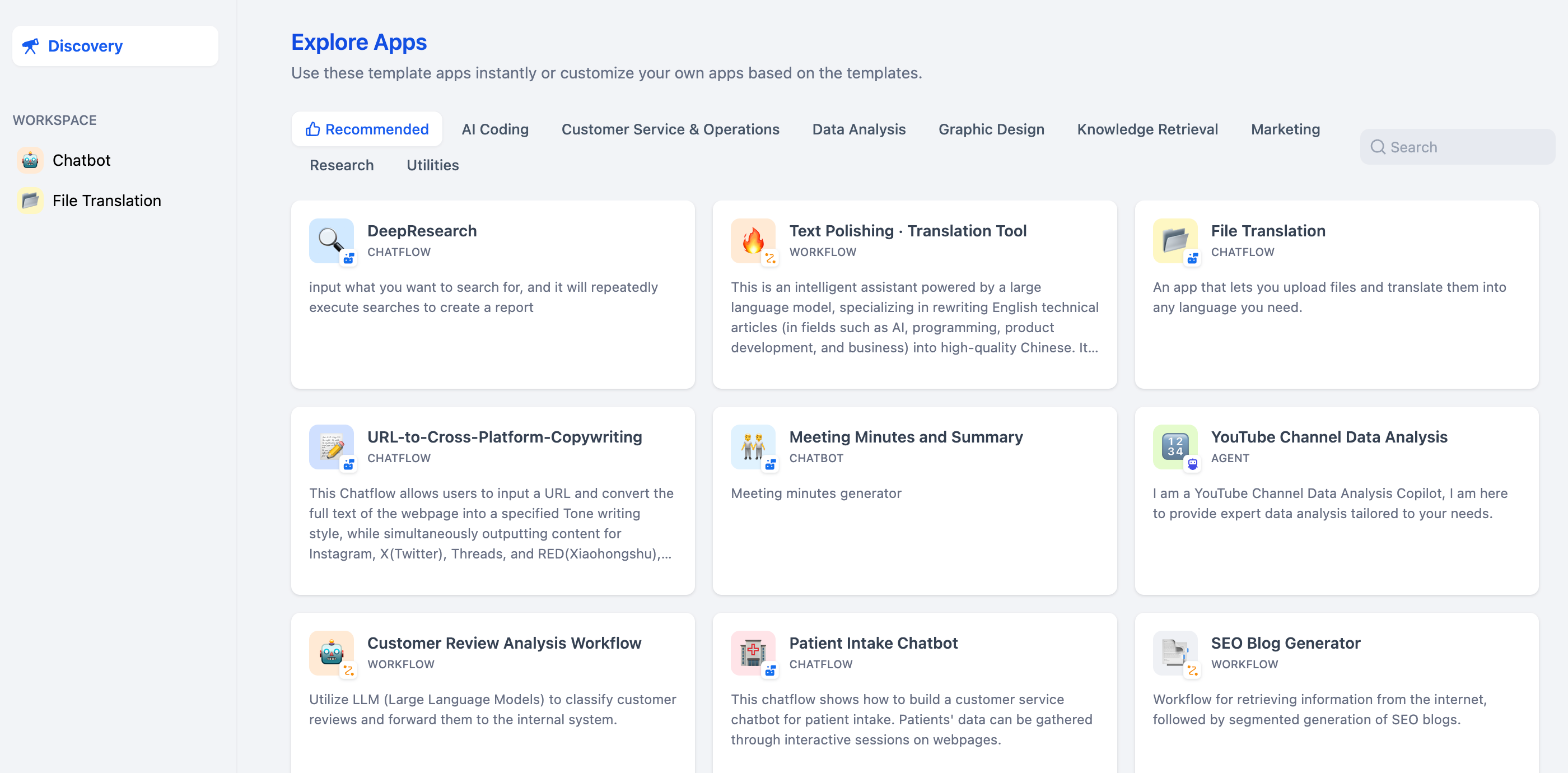
Common Questions
Do permission changes require republishing?
Do permission changes require republishing?
No. Changes apply immediately. However, users with active sessions may need to wait for their session to expire before new restrictions take effect.
How do I check who has access?
How do I check who has access?
View current permissions in the Who can access web app section of your app’s publish settings.
Which permission level should I choose?
Which permission level should I choose?
- Only members within the enterprise: Internal collaboration tools
- Specific groups or members: Department-specific or sensitive apps
- Anyone with the link: Public demos (use carefully)
Do web app permissions affect API access?
Do web app permissions affect API access?
No. API access is controlled separately by API keys. Changing web app permissions doesn’t affect existing API functionality.