Before the official release of the Enterprise Edition plugin management feature, deleting a plugin through the Web interface only modifies the database marker and does not actually remove the plugin resources from the K8s cluster. This article introduces the concepts related to plugin CRD resources and how to completely remove plugins running in K8s.
In the following text, “plugin”, “Dify Plugin”, and “DP” all refer to Dify plugins installed in the Enterprise Edition.

Impact of Plugin Installation on the Cluster

After a plugin is successfully installed, a Runner Pod will run in the K8s cluster with a randomly generated hash as the Pod name. You can view the specific plugin name and version through the pluginName field. For example, in bfb86f037071c05d3ce1d63c2f4f1e30--6, the suffix --6 indicates this is the sixth installation attempt. If a plugin installation fails, the next reinstallation will automatically increment the suffix number, and the previously failed CR will remain with a Failed status. Use the following command to view all plugin CRDs: kubectl get dp output example

Deleting Plugins

The complete deletion process includes two steps: cleaning up database records + deleting K8s resources.

Cleaning Up the Database

Currently, the simplest way to clean up the database is to click “Delete Plugin” in the Web interface.
⚠️ Important: You must click “Delete Plugin” in the Web interface first before deleting K8s resources. This operation will delete the installation record from the dify-plugin table. If you skip this step, you will need to manually clean up the relevant records in the following database tables.
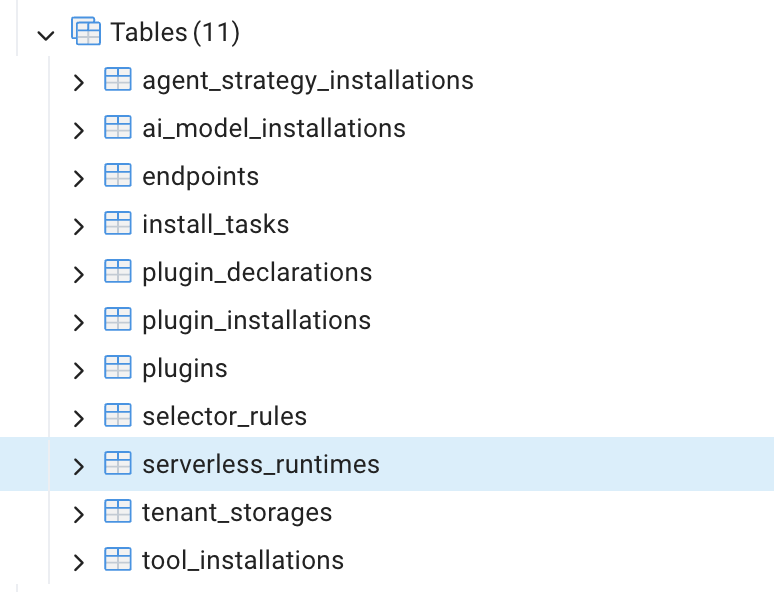
Database table structure

Deleting Cluster Resources

Deleting a Specific Plugin

Since DifyPlugin is a resource managed by Kubernetes Custom Resource Definitions (CRD), directly deleting the Pod cannot completely remove it. You must delete it from the controller level. Using the plugin above as an example, you can delete a specific plugin by its Pod name. After deleting the DifyPlugin CR, Kubernetes’ garbage collection mechanism will automatically cascade delete all associated child resources.
# Delete a specific DifyPlugin CR
kubectl delete difyplugin bfb86f037071c05d3ce1d63c2f4f1e30--6 -n dify

# Or use the short name
kubectl delete dp bfb86f037071c05d3ce1d63c2f4f1e30--6 -n dify
After executing the above command, the following resources will be automatically deleted:
  • Deployment: bfb86f037071c05d3ce1d63c2f4f1e30--6
  • ReplicaSet: bfb86f037071c05d3ce1d63c2f4f1e30--6-67dbf9f9d5
  • Pod: bfb86f037071c05d3ce1d63c2f4f1e30--6-67dbf9f9d5-k8ktn
  • Service: svc-bfb86f037071c05d3ce1d63c2f4f1e30--6

Deleting All Plugins

# Step 1: Backup all plugin configurations
kubectl get dp -n dify -o yaml > all-difyplugins-backup.yaml

# Step 2: Confirm the list of plugins to delete
kubectl get dp -n dify

# Step 3: Execute batch deletion
kubectl delete dp --all -n dify

# Step 4: To restore, execute the following command
kubectl apply -f all-difyplugins-backup.yaml

Deleting All Failed Plugins

# View all plugins with BuildFailed status
kubectl get dp -n dify | grep BuildFailed

# Batch delete all plugins with BuildFailed status
kubectl get dp -n dify -o jsonpath='{range .items[?(@.status.state=="BuildFailed")]}{.metadata.name}{"\n"}{end}' | \
  xargs -I {} kubectl delete dp {} -n dify
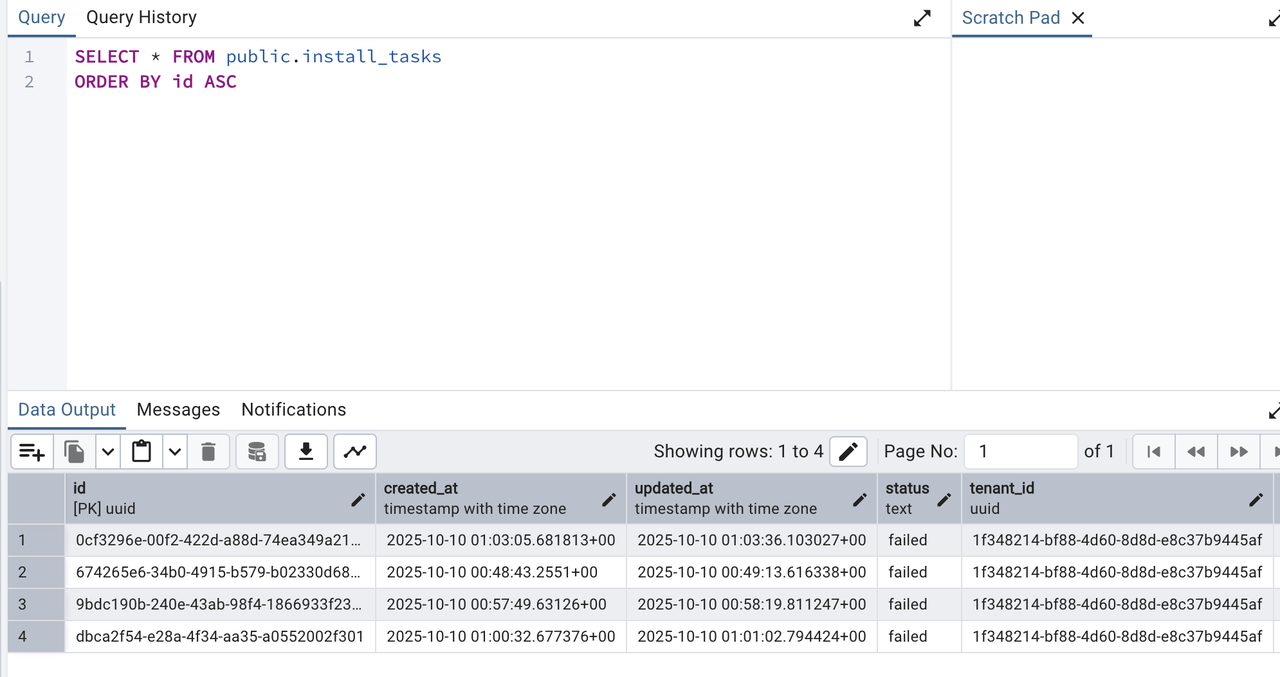
Additionally, failed plugin installation records are stored in the install_tasks table. SQL query results

Migrating Plugins via Flask Commands

The following commands can be used for batch export and installation of plugins:
# Export plugin configurations to a file
uv run --project api flask extract-plugins --output_file plugins.jsonl --workers 10

# Batch install plugins
uv run --project api flask install-plugins \
  --input_file plugins.jsonl \
  --output_file installed_plugins.jsonl \
  --workers 10
The following commands are used for plugin diagnostics and cleanup:
# Extract unique identifiers from exported plugins
uv run --project api flask extract-unique-identifiers \
  --input_file plugins.jsonl \
  --output_file unique_identifiers.json

# List all plugin providers
uv run --project api python commands_diagnose_plugin_providers.py list

# Clean up a specific plugin provider
uv run --project api python commands_diagnose_plugin_providers.py clean --provider <provider_name>

# Clean up all plugin providers
uv run --project api python commands_diagnose_plugin_providers.py clean-all

# Check plugin service running status
uv run --project api python commands_diagnose_plugin_providers.py check-plugin-service