

1. Function Overview
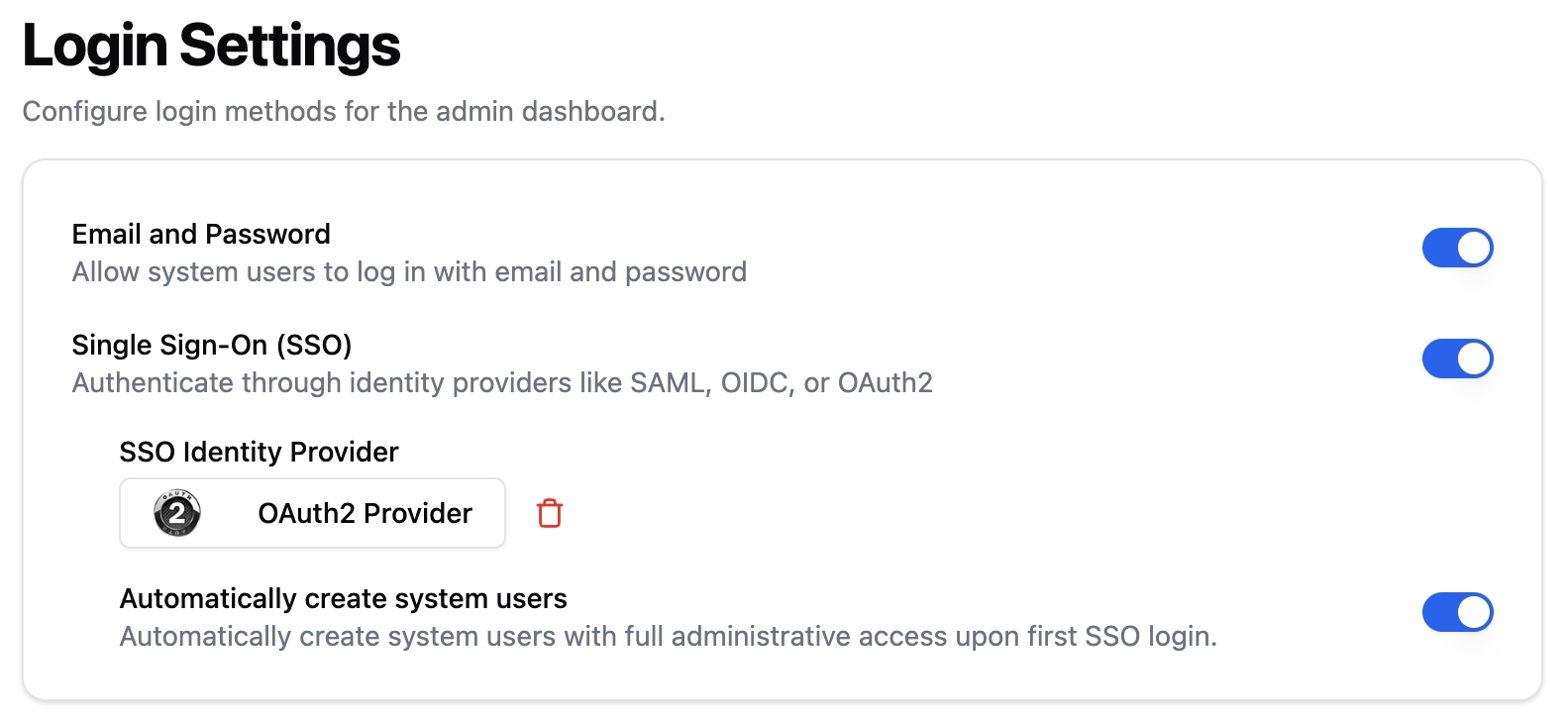
Dify Enterprise provides two login methods for the admin console: Email + Password and Single Sign-On (SSO). System administrators can enable or disable either method as needed in “Login Settings” and complete SSO identity provider configuration in one place. Configuration takes effect immediately, and the admin console login page only displays currently available entry points, meeting different enterprise security and experience strategies.2. Configuration Instructions
2.1 Access Path
Dashboard > Settings > Login Settings
2.2 Login Behavior Description
Note: Both methods can be fully enabled, or either login method can be disabled, but at least one must remain enabled.
2.3 SSO Identity Provider Configuration Instructions
Supports integration with existing enterprise identity systems through SAML, OIDC, and OAuth2 protocols. Administrators can select the protocol type based on the enterprise’s actual identity system and fill in the corresponding fields (such as Client ID, Issuer URL, certificates, etc.). Configuration methods for the three protocols can be found in the SSO configuration in theAuthentication module:
- Okta
- Azure
- GitHub
Login Settings page and configure it in your identity provider platform.
2.4 Automatic System User Creation
When this option is enabled, users logging in via SSO for the first time will automatically create system users, without the need to manually add accounts in the system beforehand.- Created users will have complete system administration privileges;
- The current system has no role management mechanism, all users have the same permissions.
3. Precautions
- Do not enable the SSO switch before the identity provider configuration is successful.
- The system currently does not support permission differentiation after user login, and all system users default to super administrator privileges.
4. Frequently Asked Questions (FAQ)
Q1: What is the difference between SSO in Settings > Login Settings and SSO in Authentication > Members?
The single sign-on functionalities are targeted at different user groups and applicable to different login scenarios:
-
Admin Dashboard SSO (
Admin Dashboard > Settings > Login Settings) Used to configure the authentication method for system administrators (System Users) accessing the Admin Dashboard, typically aimed at enterprise technical personnel or platform operators with system management permissions. -
Member Authentication SSO (
Authentication > Members) Used to configure identity authentication for workspace members or Web application end users, applicable to business end users, customers, employees, etc., accessing the business workspace or Web product front-end login scenarios.
Q2: What are the differences in configuration at the enterprise IdP (identity provider) end for these two SSO functionalities?
To distinguish between the identity authentication of the Admin Dashboard and business applications, it is recommended to configure two separate applications in the enterprise IdP:- Backend SSO Configuration: Used for identity authentication of the Admin Dashboard, assigned to users with system management permissions (such as administrators, DevOps, platform operators);
- Member SSO Configuration: Used for identity authentication of workspace or Web application users, aimed at ordinary members, internal employees, customer users, etc.