

Overview
Dify Enterprise Edition supports automatic synchronization of your organization’s existing structure through the SCIM (System for Cross-domain Identity Management) protocol, making it easier for admins to manage large teams efficiently.- Standard SCIM 2.0 protocol support
- Automatic user and organization structure sync
- Works with major identity providers
- Real-time member updates
Before You Start
To enable automatic synchronization, make sure you have:- Dify EE system administrator permissions
- Access to your organization’s identity provider backend
- Understanding of your current identity provider type
Setup Guide
1. Get Your SCIM Configuration
1
Open Sync Settings
In the enterprise dashboard, go to Members → Sync Settings from the left sidebar.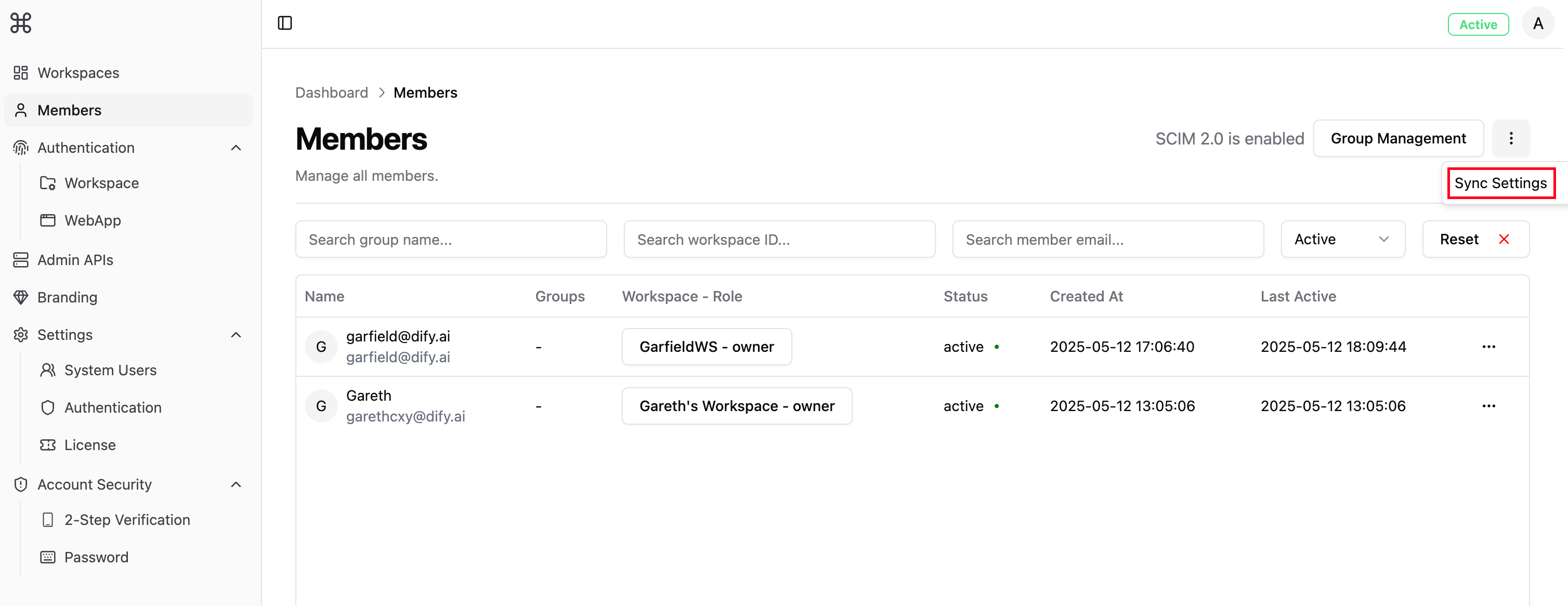
2
Copy the SCIM Endpoint
Find and copy the
SCIM 2.0 Base URL shown on the page. You’ll need this for your identity provider setup.3
Create an Authentication Token
- Click Get Token
- The system generates an OAuth Bearer Token
4
Save Your Configuration
Keep these items safe for the next steps:
- SCIM Base URL
- OAuth Bearer Token
2. Connect Your Identity Provider
Select your identity provider below for specific setup instructions:Azure Active Directory
Set up member sync with Azure AD
Okta
Set up member sync with Okta
How SCIM Maps to Dify
Here’s how SCIM resources work with Dify features:Key Things to Know
Once you enable SCIM sync, your identity provider becomes the single source of truth for user and group management. To learn about API limitations, check out the Admin APIs documentation.
What Changes When SCIM is Active
With SCIM enabled:- All user and group management happens through your identity provider
- Admin APIs become read-only
- Self-registration is disabled
- Full Admin API access returns
- All user management features work normally
If You Need to Make Manual Changes
Sometimes you might need to use Admin APIs directly:- Temporarily turn off SCIM
- Make your API changes
- Turn SCIM back on and check sync status