

Configuration
Input and Model Setup
Input Variable - Select what to classify, typicallysys.query for user questions, but can be any text variable from previous workflow nodes.
Model Selection - Choose an LLM for classification. Faster models work well for simple classes, while more powerful models handle nuanced distinctions better.
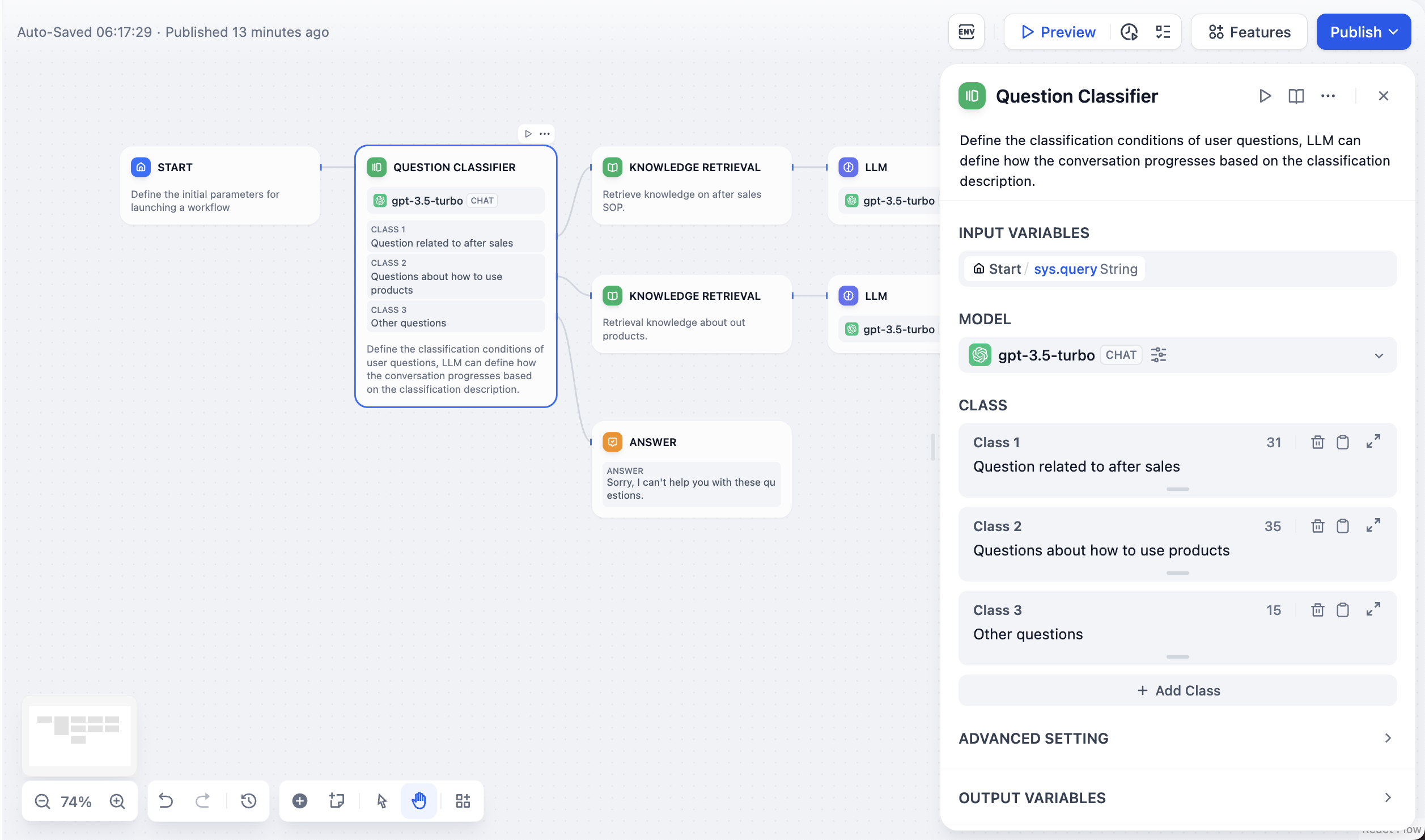
Class Definition
Write a precise, distinguishing description of what belongs in each class; boundary phrases like “anything related to…” or “excluding…” help when classes overlap. The description is what the LLM reads when choosing a branch, and it is exposed downstream asclass_name.
Each class becomes a potential output path that you can connect to different downstream nodes like specialized knowledge bases, response templates, or processing workflows.
Classification Example
Here’s how the Question Classifier works in a customer service scenario: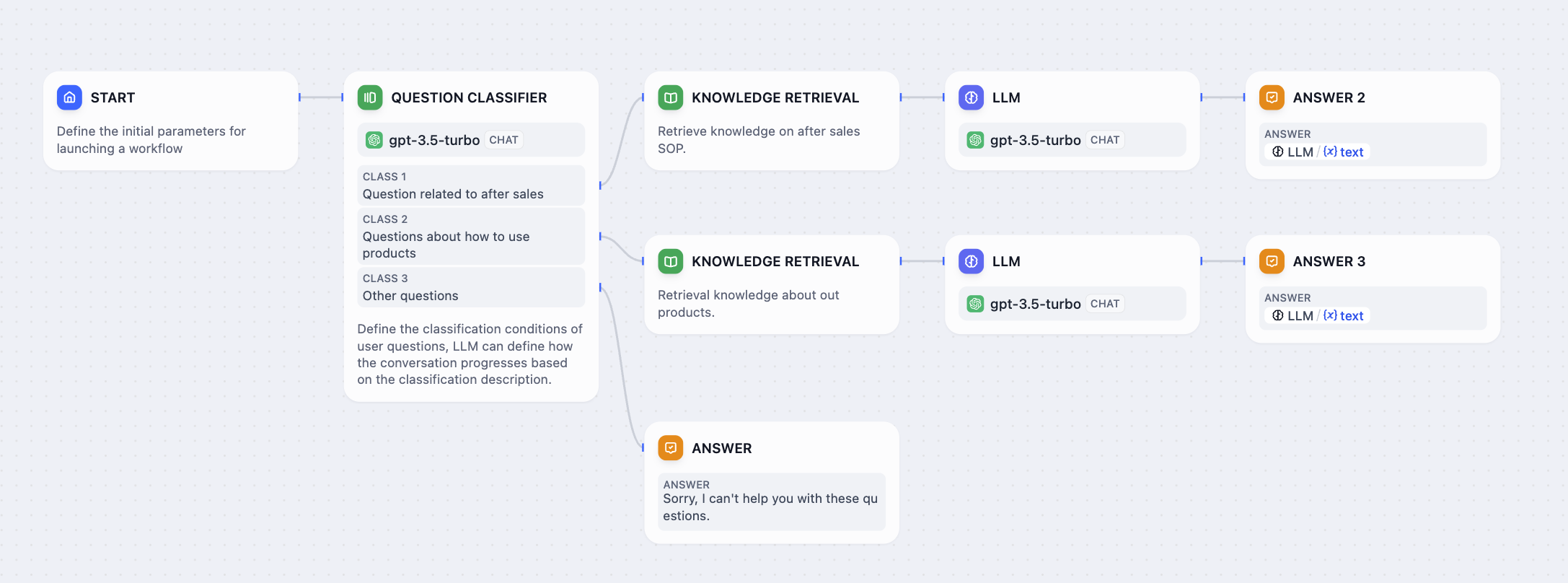
Customer Service Classification Workflow
- After-sales service - Warranty claims, returns, repairs, and post-purchase support
- Product usage - Setup instructions, troubleshooting, feature explanations
- Other questions - General inquiries not covered by specific classes
- “How to set up contacts on iPhone 14?” → Product usage
- “What is the warranty period for my purchase?” → After-sales service
- “What’s the weather like today?” → Other questions