

None
None
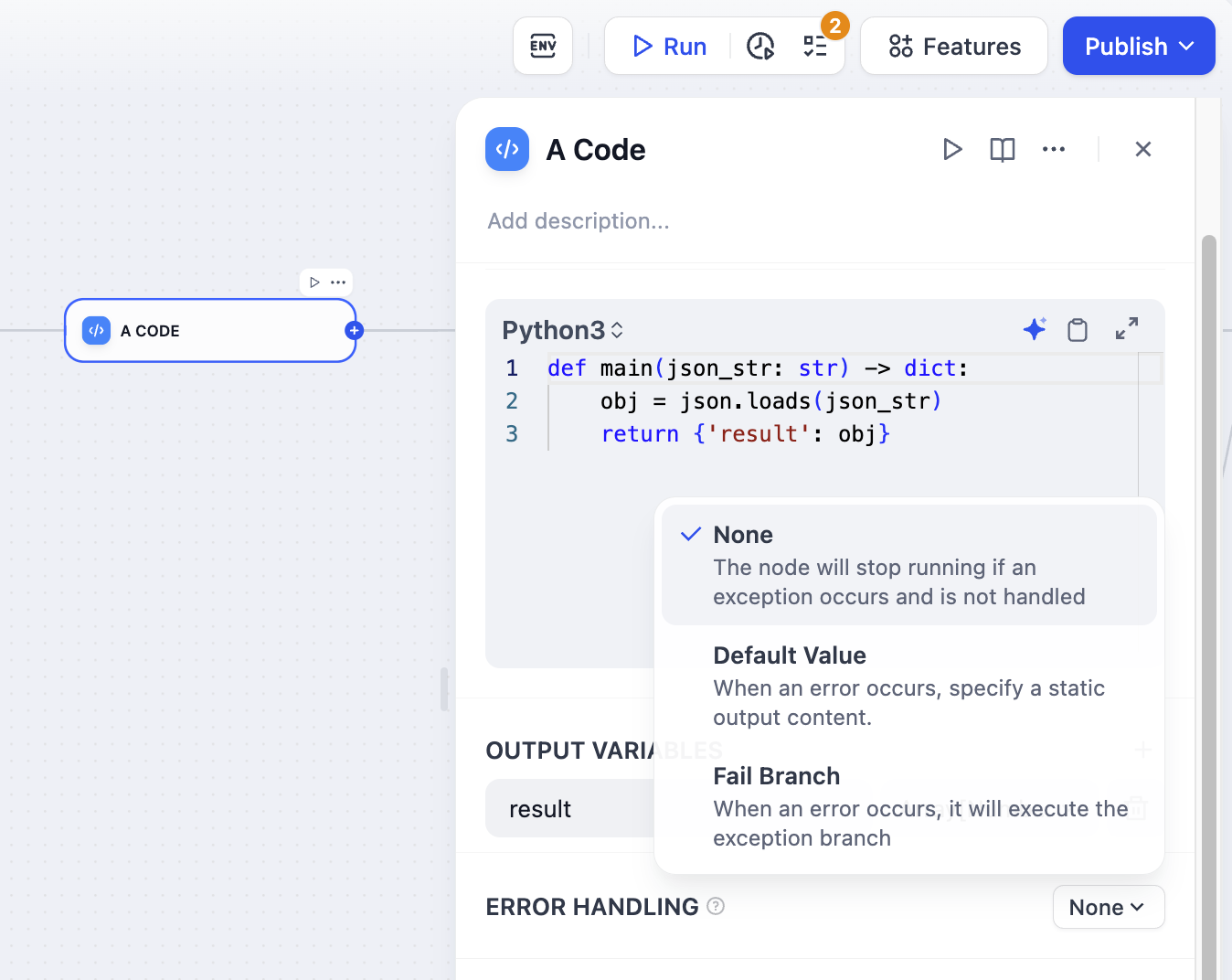
The default behavior. When a node fails, the whole workflow stops. You get the original error message.Use this when:
- You’re testing and want to see what broke
- The workflow can’t continue without this step
Default Value
Default Value
When a node fails, use a backup value instead. The workflow keeps running.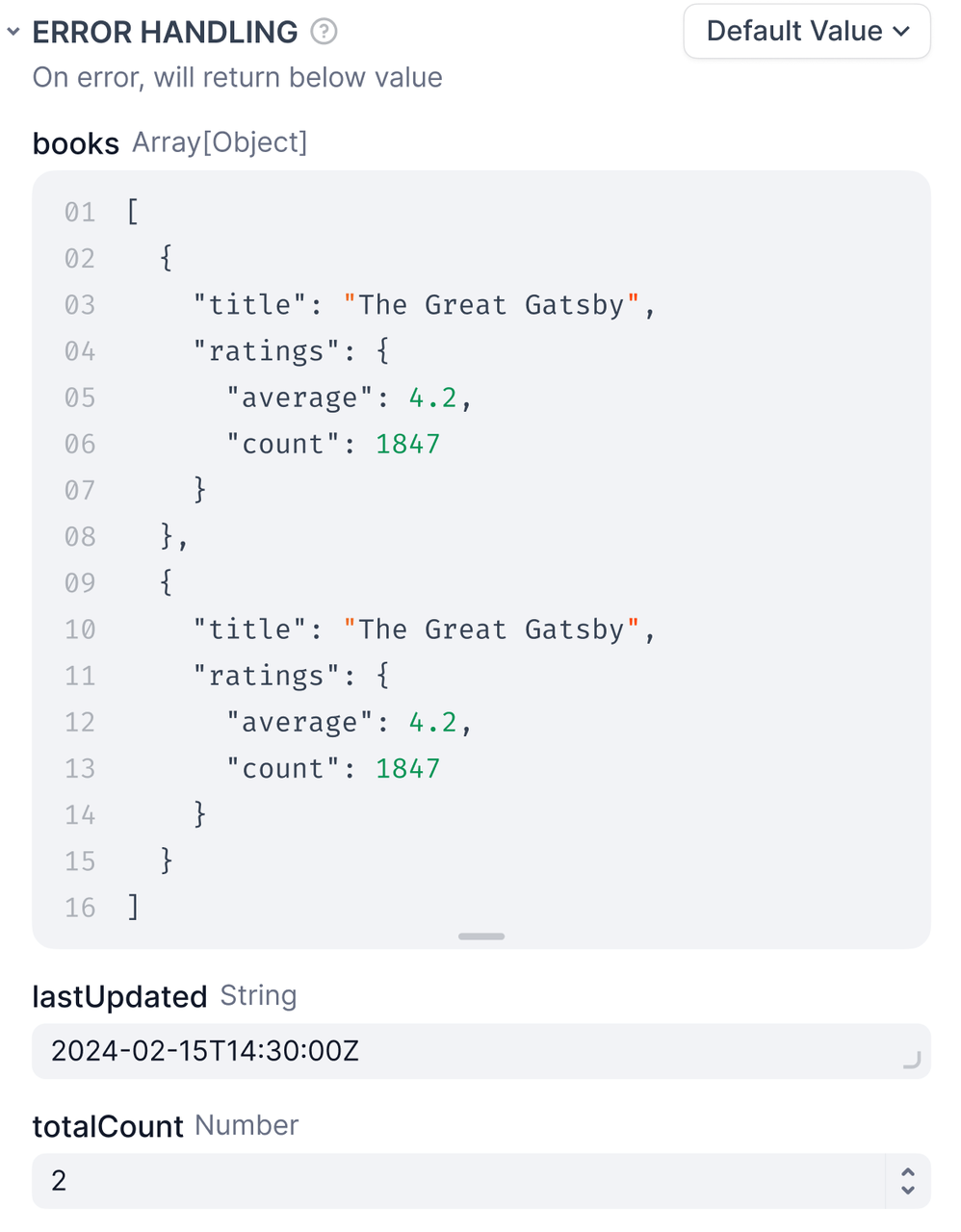 RequirementsNow users get a helpful message instead of a broken workflow.
- The default value must match the node’s output type—if it outputs a string, your default must be a string.
Fail Branch
Fail Branch
When a node fails, trigger a separate flow to handle the error.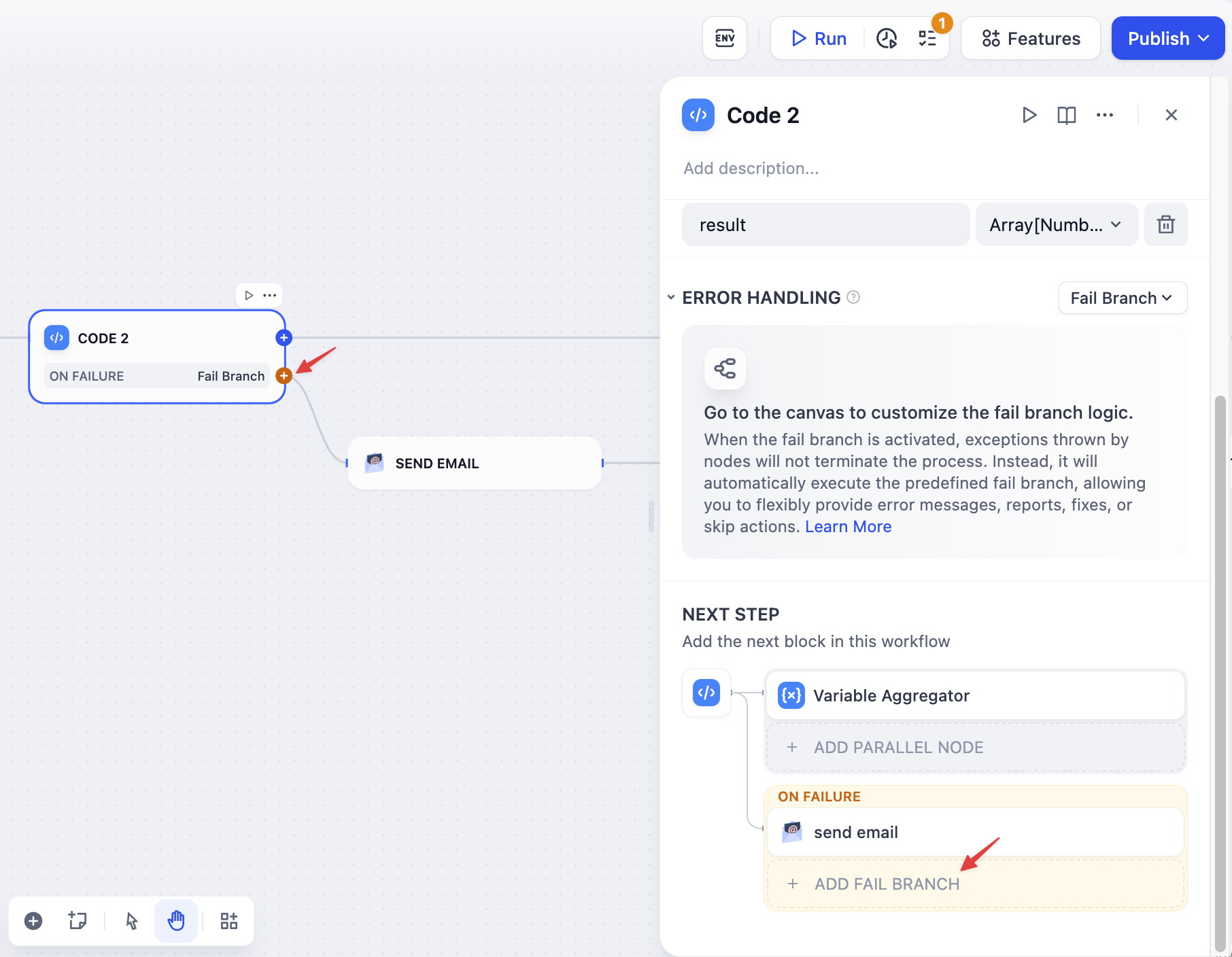 The fail branch is highlighted in orange. You can:
- Send error notifications
- Try a different approach
- Log the error for debugging
- Use a backup service
Error in Iteration Nodes
When child nodes fail inside an Iteration node, you choose how to handle the failure through the error handling mode setting:terminated: Stops processing immediately when any item fails (default)continue-on-error: Skips the failed item and continues with the next oneremove-abnormal-output: Continues processing but filters out failed items from the final output
continue-on-error, failed items return null in the output array. When you use remove-abnormal-output, the output array only contains successful results, making it shorter than the input array.
Error variables
When using default value or fail branch, you get two special variables:error_type: What kind of error happened (see Error Types)error_message: The actual error details
- Show users helpful messages
- Send alerts to your team
- Choose different recovery strategies
- Log errors for debugging