> ## Documentation Index
> Fetch the complete documentation index at: https://enterprise-docs.dify.ai/llms.txt
> Use this file to discover all available pages before exploring further.
# 从 Notion 导入数据
Dify 知识库支持从 Notion 导入,并支持后续的数据自动同步。
Notion 通过 **Notion** 数据源插件连接。详见下文 [连接 Notion 数据源](#连接-notion-数据源)。
### 授权验证
1. 在创建知识库,选择数据源时,选择 **同步自 Notion 内容**,根据提示完成连接。
2. 你也可以:进入 **设置 -- 数据来源**,在 Notion 卡片上完成连接。
### 导入 Notion 数据
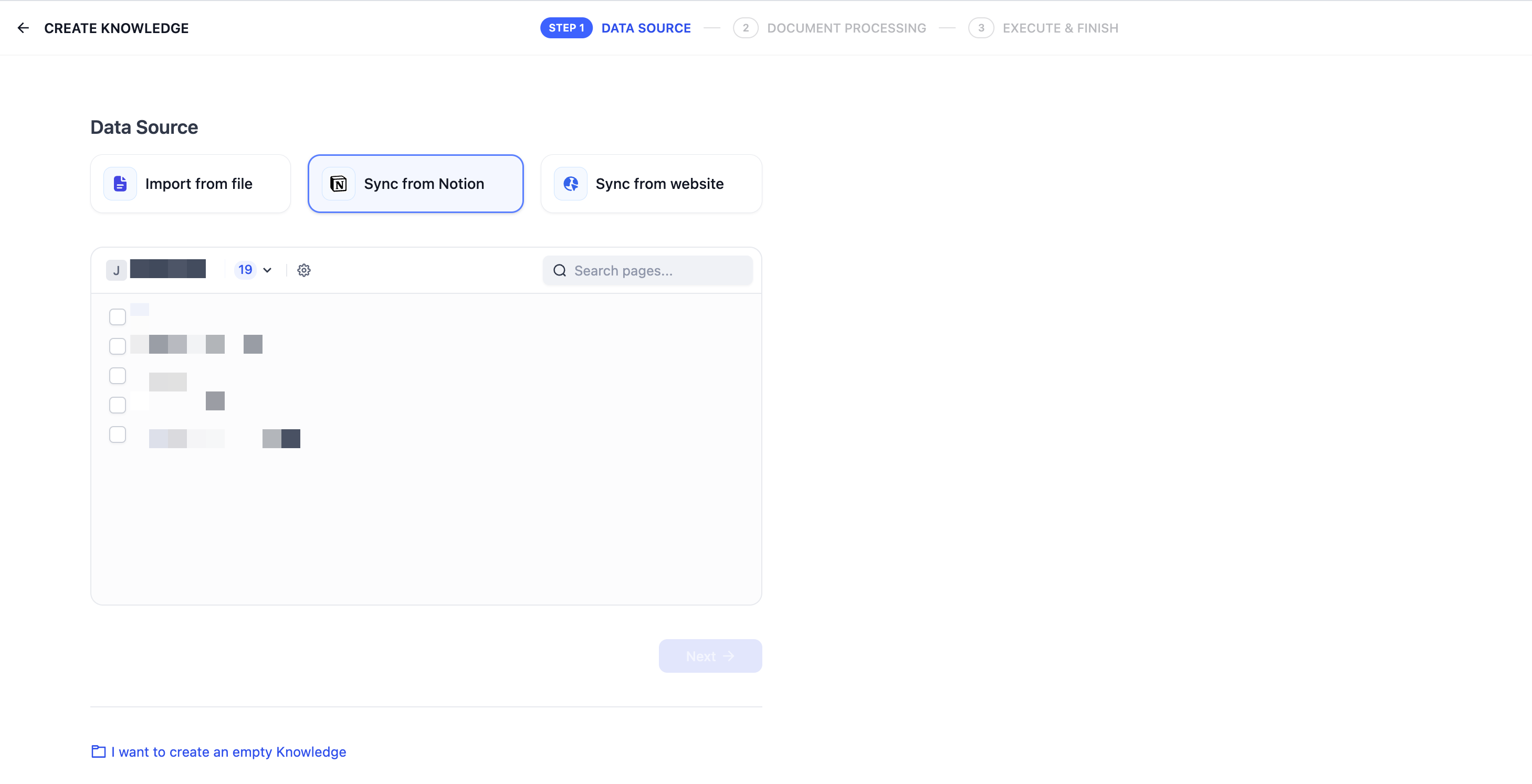
完成验证授权后,进入创建知识库页面,点击 **同步自 Notion 内容**,选择需要的授权页面进行导入。
### 进行分段和清洗
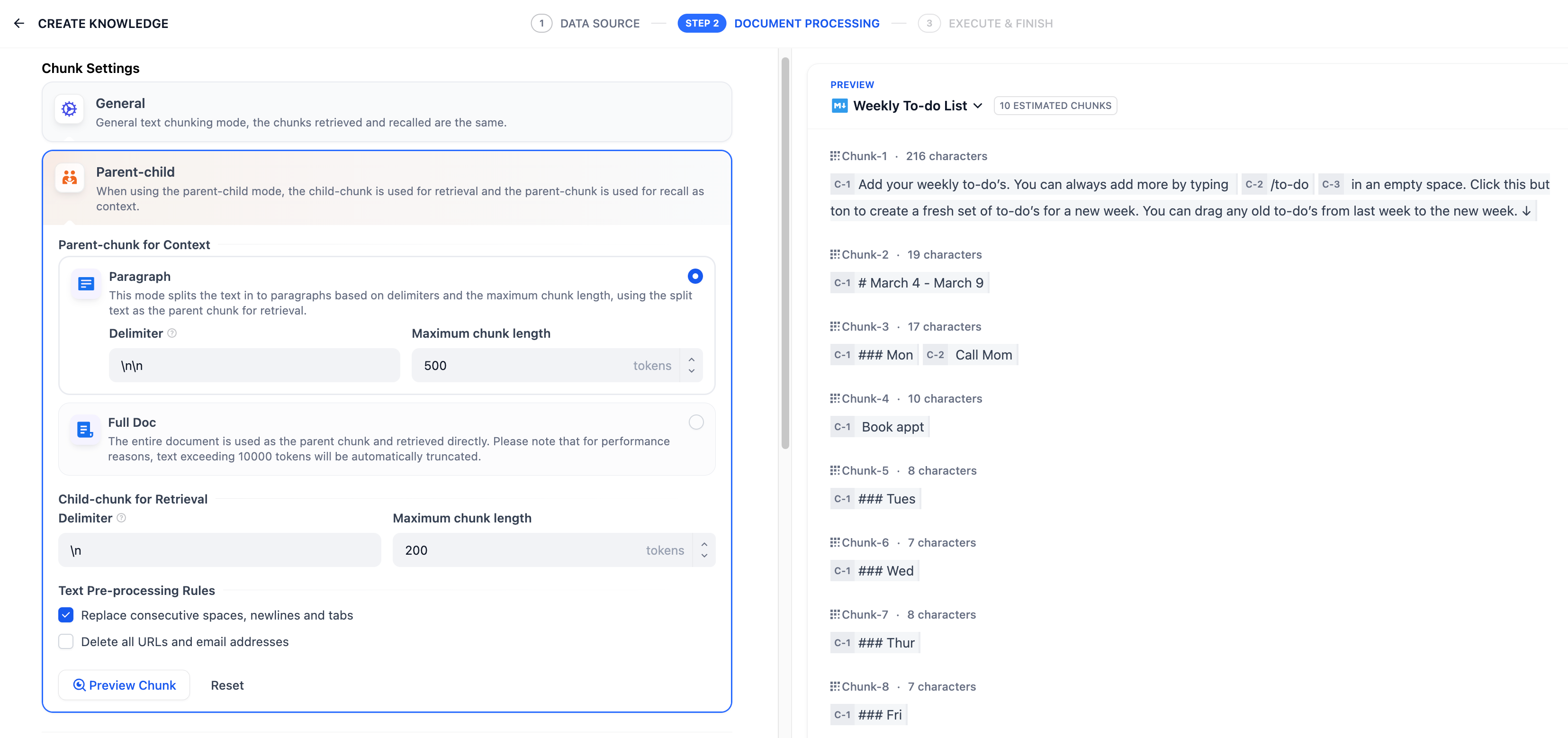
接下来,选择知识库的 **分段设置** 和 **索引方式**,**保存并处理**。等待 Dify 自动处理数据。Dify 不仅可以导入 Notion 的普通类型页面,同时也支持导入并汇总保存 database 类型下的页面属性。
暂不支持导入图片和文件,表格类数据会被转换为文本展示。
### 同步 Notion 数据
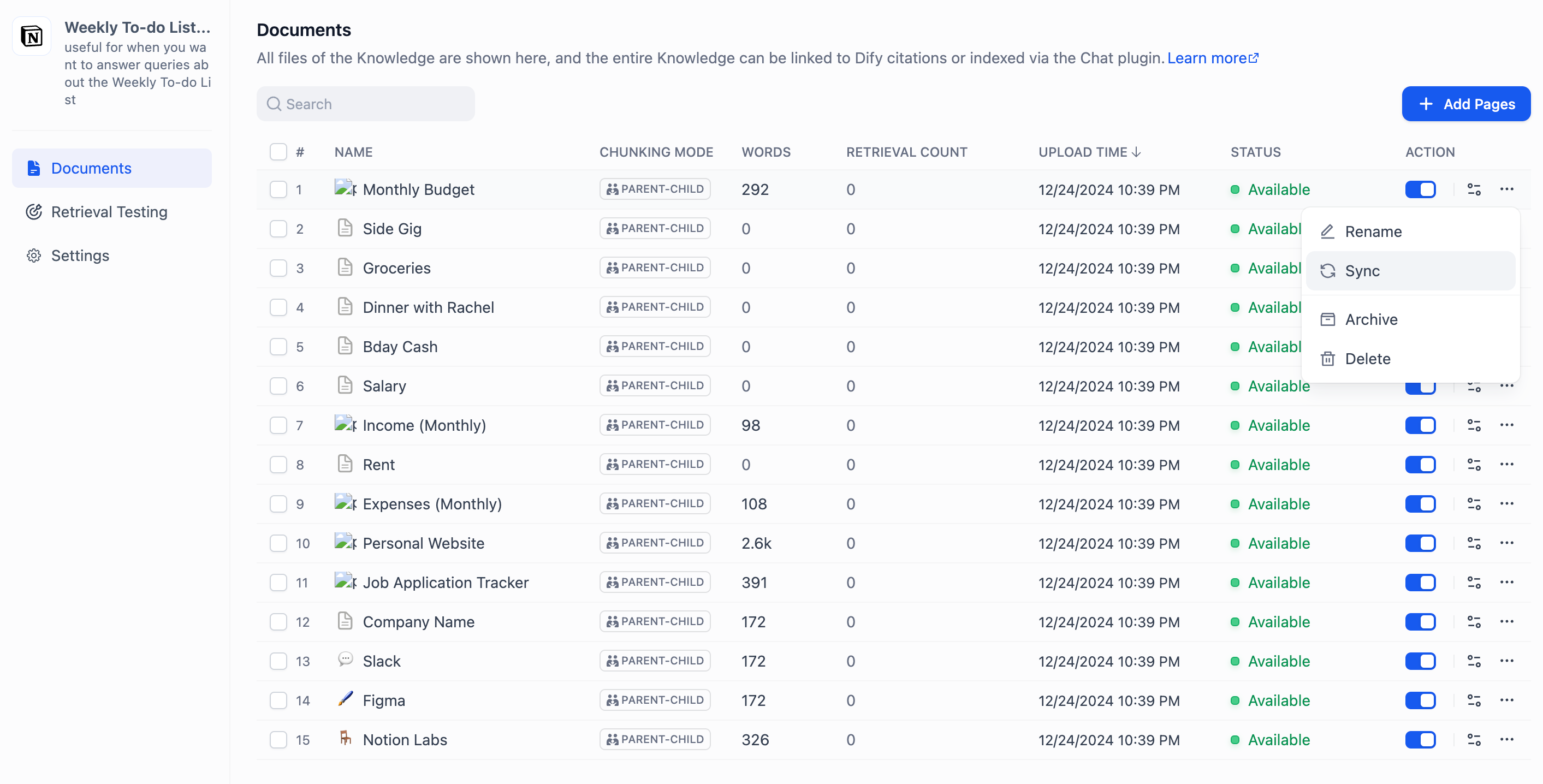
如果你的 Notion 内容有更新,可以在知识库的 **文档列表页** 中点击对应内容页的 **同步** 按钮进行数据同步。同步文档涉及嵌入过程,因此将消耗嵌入模型的 Tokens。
### 连接 Notion 数据源
Notion 通过 **Notion** 数据源插件(`langgenius/notion_datasource`)连接。若 **设置 -- 数据来源** 中没有 Notion 卡片,请先从 Dify Marketplace 安装该插件。
Notion 卡片提供两种凭据方式:
* **OAuth**:点击 **添加 OAuth**,在弹出的 Notion 窗口中完成授权。
* **API Key**:在 Notion 的[集成设置页面](https://www.notion.so/my-integrations)创建内部集成,在 **Secrets** 处复制密钥,然后在 Notion 卡片上点击 **添加 API Key** 并粘贴。集成的详细说明参阅 [Notion 官方文档](https://developers.notion.com/guides/get-started/authorization)。