> ## Documentation Index
> Fetch the complete documentation index at: https://enterprise-docs.dify.ai/llms.txt
> Use this file to discover all available pages before exploring further.
# Manage Knowledge Content
## Manage Documents
In a knowledge base, each imported item—whether a local file, a Notion page, or a web page—becomes a document.
From the document list, you can view and manage all these documents to keep your knowledge accurate, relevant, and up-to-date.
Click the knowledge base name at the top to quickly switch between knowledge bases.
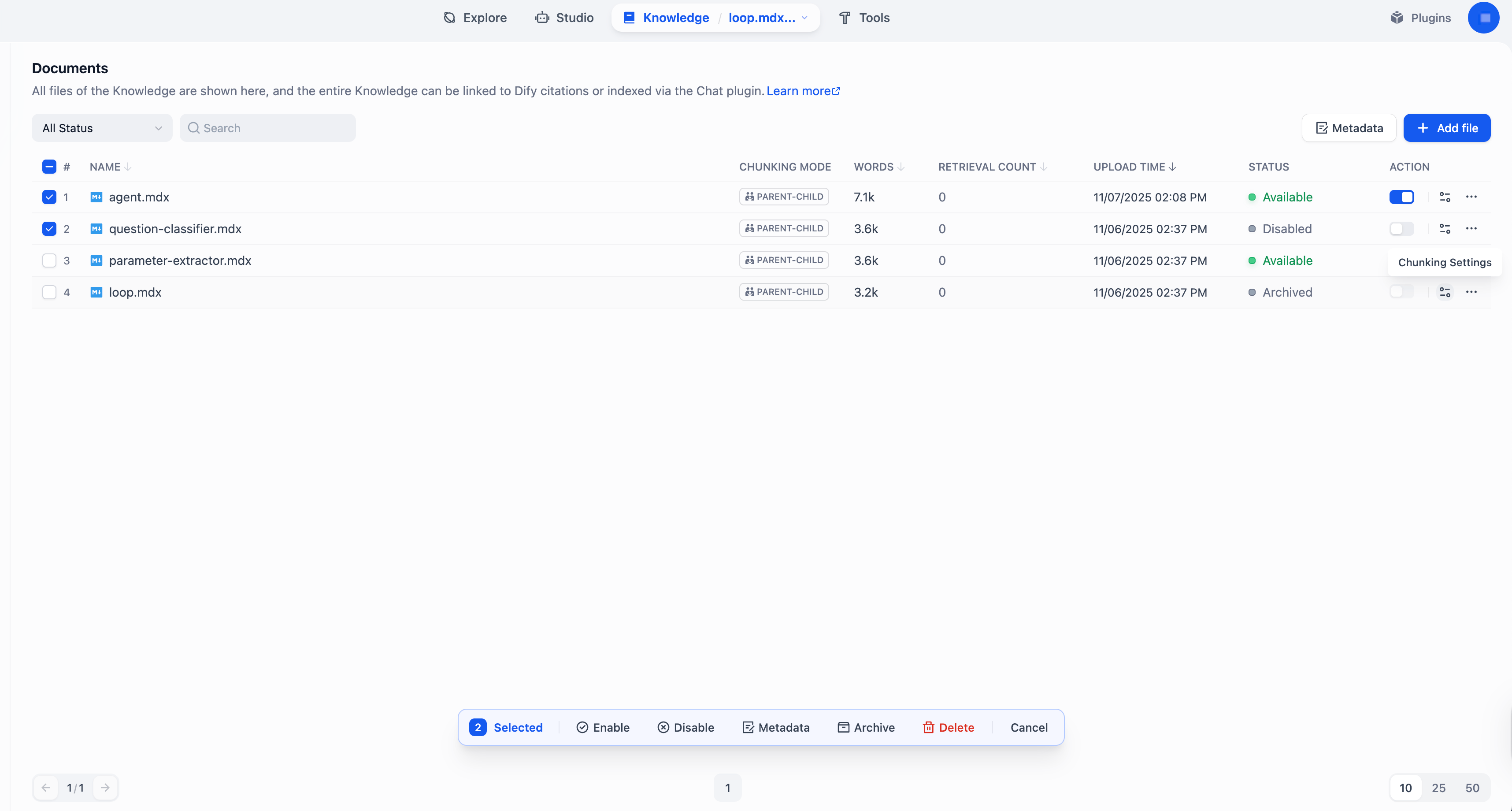 | Action | Description |
| :-------------------- | :--------------------------------------------------------------------------------------------------------------------------------------------------------------------------------------------------------------------------------- |
| Add | Import a new document. |
| Modify Chunk Settings | Modify a document's chunking settings (excluding the chunk structure).Each document can have its own chunking settings, while the chunk structure is shared across the knowledge base and cannot be changed once set. |
| Delete | Permanently remove a document. **Deletion cannot be undone**. |
| Enable / Disable | Temporarily include or exclude a document from retrieval. |
| Archive / Unarchive | Archive a document that you no longer need for retrieval but still want to keep. Archived documents are read-only and can be unarchived at any time. |
| Edit | Modify the content of a document by editing its chunks. See [Manage Chunks](#manage-chunks) for details. |
| Rename | Change the name of a document. |
## Manage Chunks
According to its chunk settings, every document is split into content chunks—the basic units for retrieval.
From the chunk list within a document, you can view and manage all its chunks to improve the retrieval efficiency and accuracy.
Click the document name in the upper-left corner to quickly switch between documents.
| Action | Description |
| :-------------------- | :--------------------------------------------------------------------------------------------------------------------------------------------------------------------------------------------------------------------------------- |
| Add | Import a new document. |
| Modify Chunk Settings | Modify a document's chunking settings (excluding the chunk structure).Each document can have its own chunking settings, while the chunk structure is shared across the knowledge base and cannot be changed once set. |
| Delete | Permanently remove a document. **Deletion cannot be undone**. |
| Enable / Disable | Temporarily include or exclude a document from retrieval. |
| Archive / Unarchive | Archive a document that you no longer need for retrieval but still want to keep. Archived documents are read-only and can be unarchived at any time. |
| Edit | Modify the content of a document by editing its chunks. See [Manage Chunks](#manage-chunks) for details. |
| Rename | Change the name of a document. |
## Manage Chunks
According to its chunk settings, every document is split into content chunks—the basic units for retrieval.
From the chunk list within a document, you can view and manage all its chunks to improve the retrieval efficiency and accuracy.
Click the document name in the upper-left corner to quickly switch between documents.
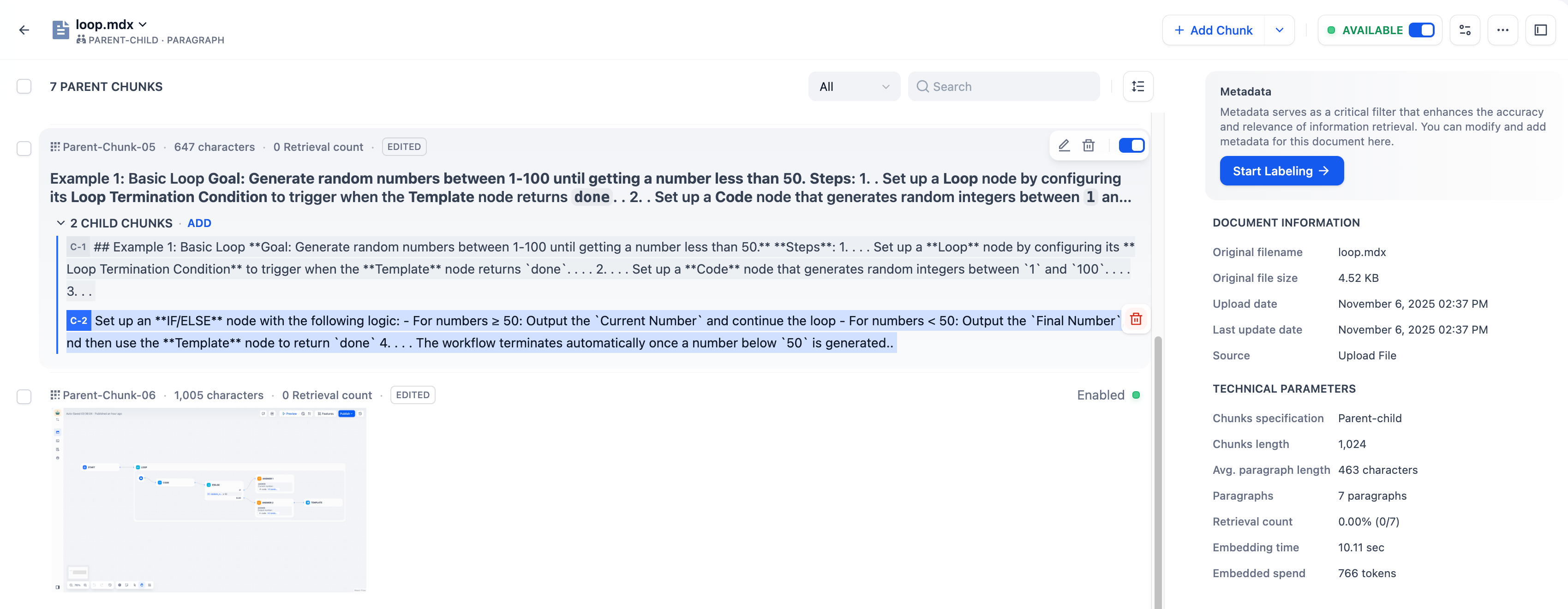 | Action | Description |
| :----------------------------- | :------------------------------------------------------------------------------------------------------------------------------------------------------------------------------------------------------------------------------------------------------------------------------------------------------------------------------------------------------------------------------------------------------------------------------------------------------------------------------------------------------------------------------------------------------------------------------------------------------------------------------------------------------------------------------------------------------------------------ |
| Add | Add one or batch add multiple new chunks.
| Action | Description |
| :----------------------------- | :------------------------------------------------------------------------------------------------------------------------------------------------------------------------------------------------------------------------------------------------------------------------------------------------------------------------------------------------------------------------------------------------------------------------------------------------------------------------------------------------------------------------------------------------------------------------------------------------------------------------------------------------------------------------------------------------------------------------ |
| Add | Add one or batch add multiple new chunks.
For documents chunked with Parent-child mode, both new parent and child chunks can be added. |
| Delete | Permanently remove a chunk. **Deletion cannot be undone**. |
| Enable / Disable | Temporarily include or exclude a chunk from retrieval. Disabled chunks cannot be edited. |
| Edit | Modify the content of a chunk. Edited chunks are marked **Edited**.
For documents chunked with Parent-child mode: - When editing a parent chunk, you can choose to regenerate its child chunks or keep them unchanged.
- Editing a child chunk does not update its parent chunk.
|
| Add / Edit / Delete Keywords | In knowledge bases using the Economical index method, you can add or modify keywords for each chunk to improve its retrievability.
Each chunk can have up to 10 keywords. |
| Add / Delete Image Attachments | Delete images extracted from documents or upload new ones within their corresponding chunk.
URLs of extracted images remain in the chunk text, but you can safely remove these URLs to keep the text clean—this won't affect the extracted images. Each chunk can have up to 10 image attachments, which are returned alongside it during retrieval; images beyond this limit will not be extracted.
For self-hosted deployments, you can adjust this limit via the environment variable `SINGLE_CHUNK_ATTACHMENT_LIMIT`.If you select a multimodal embedding model (marked with a **Vision** icon), the extracted images will also be embedded and indexed for retrieval. |
## Best Practices
### Check Chunk Quality
After a document is chunked, carefully review each chunk to ensure it's semantically complete and appropriately sized for optimal retrieval accuracy and response relevance.
Common issues to watch for:
* Chunks are **too short**—may lack sufficient context, leading to semantic loss and inaccurate answers.
* Chunks are **too long**—may include irrelevant information, introducing semantic noise and lowering retrieval precision.
* Chunks are **semantically incomplete**—caused by forced chunking that cuts through sentences or paragraphs, resulting in missing or misleading content during retrieval.
### Use Child Chunks as Retrieval Hooks for Parent Chunks
For documents chunked with Parent-child mode, the system searches across child chunks but returns the parent chunks. Since editing a child chunk does not update its parent, you can treat child chunks as semantic tags or retrieval hints for their parent chunks.
To do this, rewrite child chunks into **keywords**, **summaries**, or **common user queries**. For example, if a parent chunk covers the full *Return Policy*, you could rephrase its child chunks as:
* *How do I return an item?*
* *What's the refund period?*
* *Are there any return shipping fees?*