> ## Documentation Index
> Fetch the complete documentation index at: https://enterprise-docs.dify.ai/llms.txt
> Use this file to discover all available pages before exploring further.
# Conditional Branch IF/ELSE
### Definition
Allows you to split the workflow into two branches based on if/else conditions.
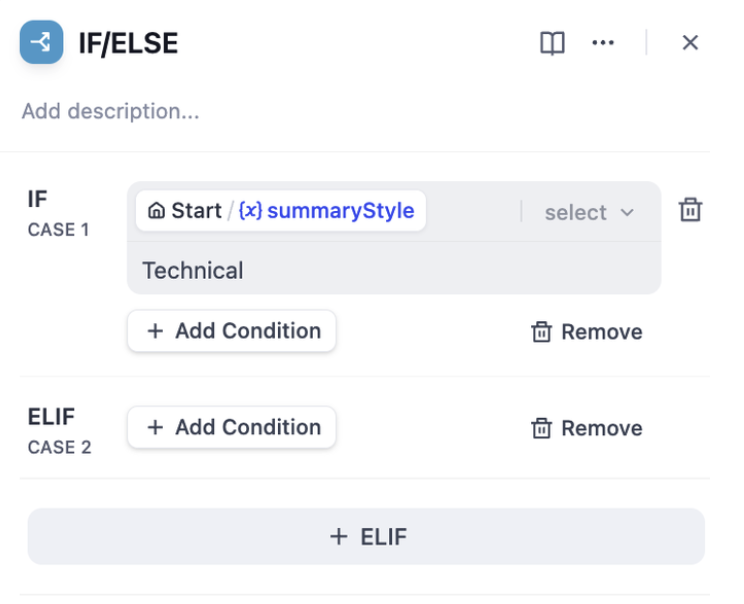
A conditional branching node has three parts:
* IF Condition: Select a variable, set the condition, and specify the value that satisfies the condition.
* IF condition evaluates to `True`, execute the IF path.
* IF condition evaluates to `False`, execute the ELSE path.
* If the ELIF condition evaluates to `True`, execute the ELIF path;
* If the ELIF condition evaluates to `False`, continue to evaluate the next ELIF path or execute the final ELSE path.
**Condition Types**
* Contains
* Not contains
* Starts with
* Ends with
* Is
* Is not
* Is empty
* Is not empty
***
### Scenario
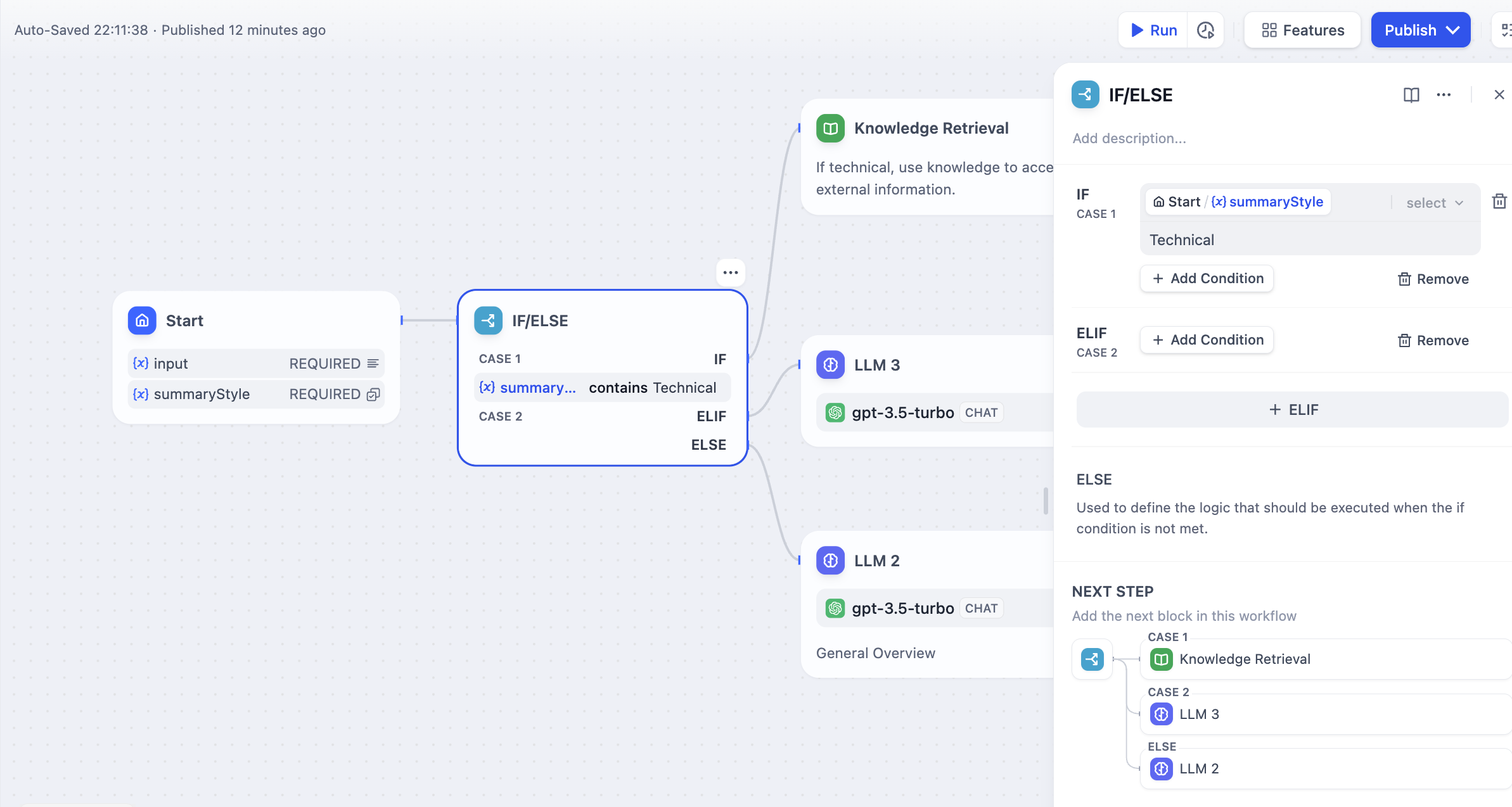
Taking the above **Text Summary Workflow** as an example:
* IF Condition: Select the `summarystyle` variable from the start node, with the condition **Contains** `technical`.
* IF condition evaluates to `True`, follow the IF path by querying technology-related knowledge through the knowledge retrieval node, then respond via the LLM node (as shown in the upper half of the diagram);
* IF condition evaluates to `False`, but an `ELIF` condition is added, where the input for the `summarystyle` variable **does not include** `technology`, yet the `ELIF` condition includes `science`, check if the condition in `ELIF` is `True`, then execute the steps defined within that path;
* If the condition within `ELIF` is `False`, meaning the input variable contains neither `technology` nor `science`, continue to evaluate the next `ELIF` condition or execute the final `ELSE` path;
* IF condition evaluates to `False`, i.e., the `summarystyle` variable input **does not contain** `technical`, execute the ELSE path, responding via the LLM2 node (lower part of the diagram).
**Multiple Condition Judgments**
For complex condition judgments, you can set multiple condition judgments and configure **AND** or **OR** between conditions to take the **intersection** or **union** of the conditions, respectively.
 Help improve our documentation by contributing directly
Found an error or have suggestions? Let us know
Help improve our documentation by contributing directly
Found an error or have suggestions? Let us know