> ## Documentation Index
> Fetch the complete documentation index at: https://enterprise-docs.dify.ai/llms.txt
> Use this file to discover all available pages before exploring further.
# Collaborate with Teammates
> Edit workflows with workspace members in real time and discuss design decisions through in-canvas comments
Requires Dify Enterprise 3.11.1 or later, with collaboration enabled in your deployment. See [Workflow Collaboration](/en/3.11.x/deploy/advanced-configuration/collaboration) for setup.
Building a workflow sometimes takes more than one person: a prompt engineer tuning instructions, a domain expert validating logic, a reviewer flagging edge cases.
Rather than taking turns, you can edit the same workflow alongside other workspace members and leave comments directly on the canvas, so the discussion stays with the work.
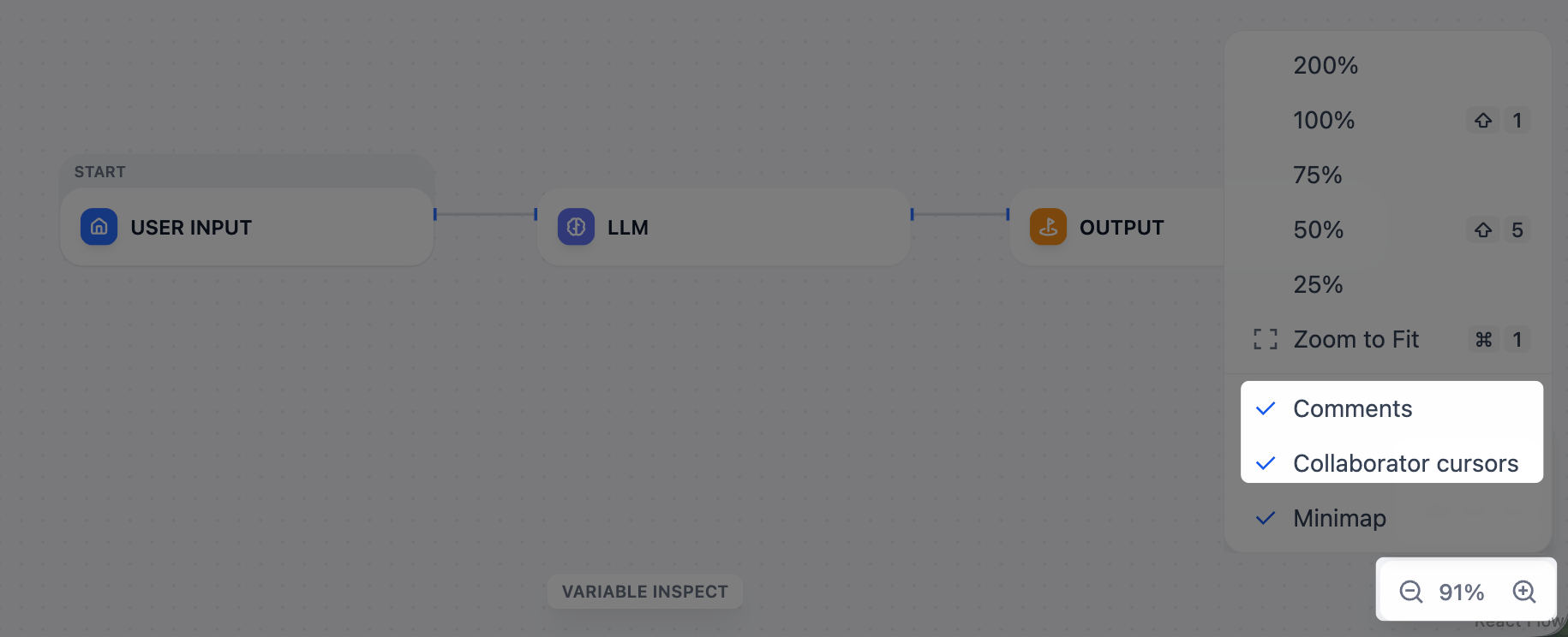
Comments and collaborator cursors can be hidden from the zoom menu in the bottom-right corner of the canvas.
 ## Real-Time Editing
Members with the **Edit and orchestrate app** permission can edit a workflow together, on the apps their resource access reaches. When two members change the same element at the same time, the last edit wins.
## Comments
Right-click an empty area of the canvas and select **Add Comment** to leave a note. To drop multiple comments in a row, press `C` to enter comment mode. Comments persist across workflow versions.
If you @mention a workspace member in a comment, they'll receive an email notification.
Members with the following permissions can view, add, and resolve comments, on the apps their resource access reaches. Members can edit or delete the comments they created.
* **Read-only orchestration page**
* **Test and use app**
* **Edit and orchestrate app**
## Real-Time Editing
Members with the **Edit and orchestrate app** permission can edit a workflow together, on the apps their resource access reaches. When two members change the same element at the same time, the last edit wins.
## Comments
Right-click an empty area of the canvas and select **Add Comment** to leave a note. To drop multiple comments in a row, press `C` to enter comment mode. Comments persist across workflow versions.
If you @mention a workspace member in a comment, they'll receive an email notification.
Members with the following permissions can view, add, and resolve comments, on the apps their resource access reaches. Members can edit or delete the comments they created.
* **Read-only orchestration page**
* **Test and use app**
* **Edit and orchestrate app**