> ## Documentation Index
> Fetch the complete documentation index at: https://enterprise-docs.dify.ai/llms.txt
> Use this file to discover all available pages before exploring further.
# Enterprise Members Authentication
Enterprise members refer to who have registered in the Dify Enterprise workspace or been added by administrators through the admin console. Our authentication system ensures these users can only access Dify Enterprise resources after proper verification.
## Authentication Scope Overview
Dify Enterprise offers tailored authentication methods based on user roles and access requirements:
| Access Target | User Role | Authentication Method | Security Level |
| ------------- | ----------------------------------------------- | ------------------------------------------------ | -------------- |
| **Workspace** | Enterprise Internal Users | Email & Password, Email & Verification Code, SSO | High |
| **Web App** | Enterprise Internal Users, Specific Group Users | Email & Password, Email & Verification Code, SSO | Medium |
## Authentication Method
System administrators can navigate to **Admin Console** → **Identity Authentication** → **Member** to centrally configure authentication methods for internal users accessing workspaces and Web Apps.

### Email and Password Authentication
**Applicable Scope:**
* Workspace
* Web App
**Features:**
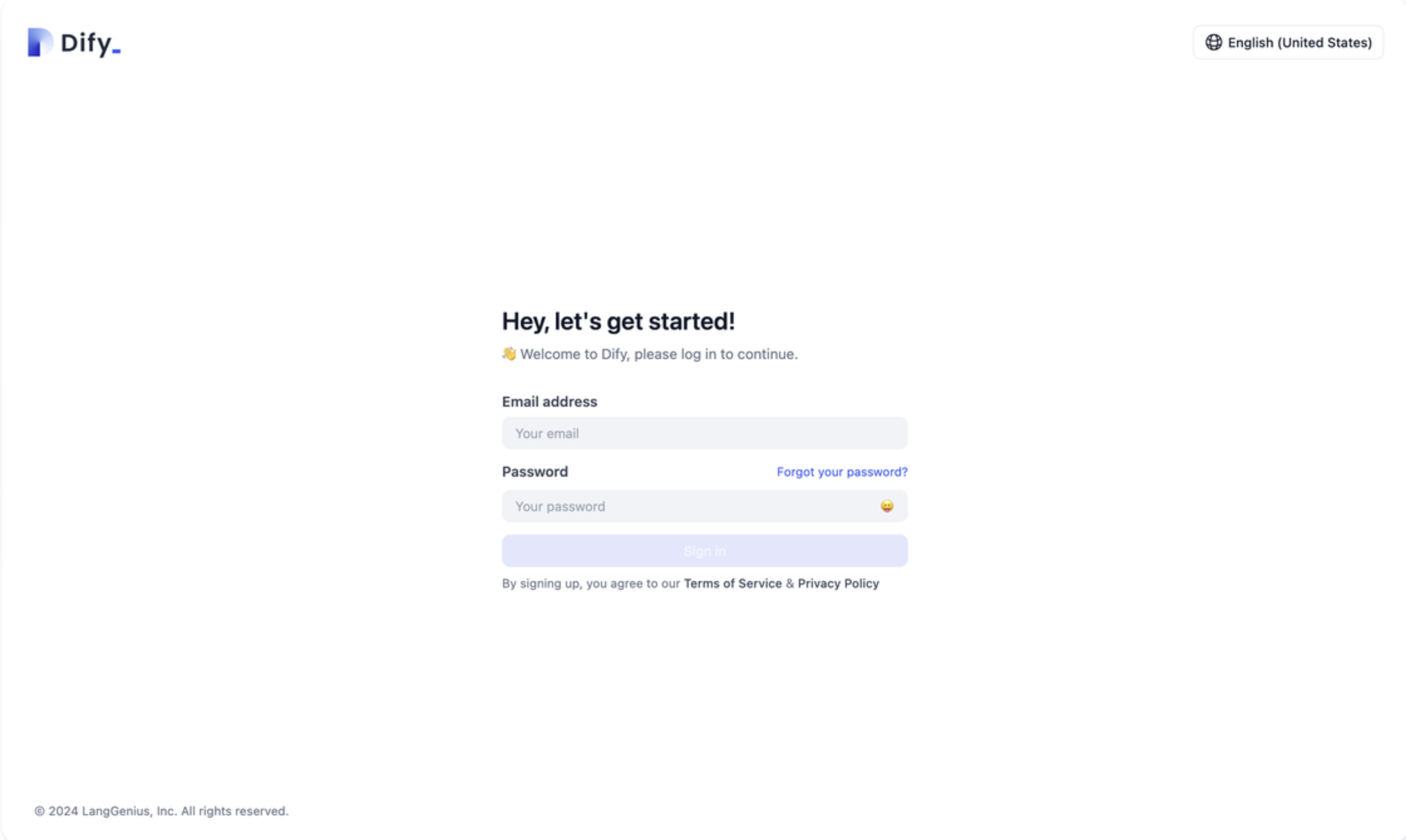
* Classic username and password authentication
* Configurable password security policies
* Suitable for all user types
**Configuration Steps:**
1. **Identity Authentication** → **Member** → **Email and Password**
2. Enable the toggle

 **Password Security Recommendations:**
* Enforce minimum password length of 8 characters
* Include uppercase and lowercase letters, numbers, and special characters
* Regularly remind users to update passwords
* Prohibit common weak passwords
### Email and Verification Code Authentication
**Applicable Scope:**
* Workspace
* Web App
**Features:**
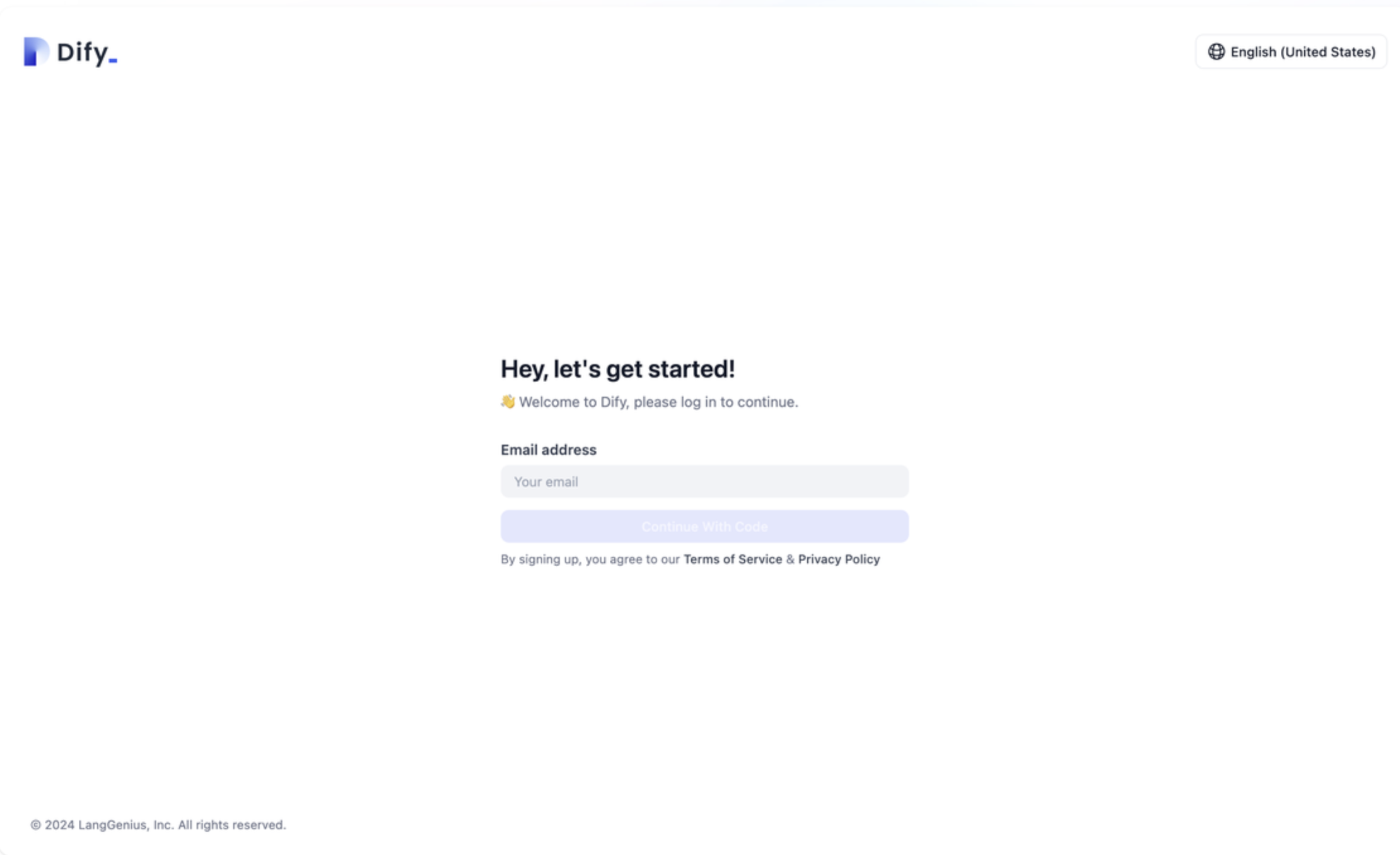
* Passwordless login method
* Single-use email verification codes
* Enhances user experience by eliminating password management
**Configuration Steps:**
1. Verify that your email service is properly configured
2. Enable "Email and Verification Code" on **Identity Authentication** → **Member** page
3. Configure verification code parameters:
* Verification code validity period (recommended 5-10 minutes)
* Sending frequency limits
* Verification code length and type
**Password Security Recommendations:**
* Enforce minimum password length of 8 characters
* Include uppercase and lowercase letters, numbers, and special characters
* Regularly remind users to update passwords
* Prohibit common weak passwords
### Email and Verification Code Authentication
**Applicable Scope:**
* Workspace
* Web App
**Features:**
* Passwordless login method
* Single-use email verification codes
* Enhances user experience by eliminating password management
**Configuration Steps:**
1. Verify that your email service is properly configured
2. Enable "Email and Verification Code" on **Identity Authentication** → **Member** page
3. Configure verification code parameters:
* Verification code validity period (recommended 5-10 minutes)
* Sending frequency limits
* Verification code length and type

 **Prerequisites:**
* SMTP email service configured
* Email service stable and available
* Valid user email addresses
### Single Sign-On (SSO)
**Applicable Scope:**
* Workspace
* Web App
**Features:**
* Integration with existing enterprise identity systems
* Supports OIDC, SAML, OAuth2 protocols
* Unified enterprise identity management
* Supports automatic user synchronization
**Configuration Steps:**
1. Enable "Single Sign-On (SSO)" on **Identity Authentication** → **Member** page
2. Configure identity provider information
3. Set user attribute mapping
4. Test SSO connection
**Prerequisites:**
* SMTP email service configured
* Email service stable and available
* Valid user email addresses
### Single Sign-On (SSO)
**Applicable Scope:**
* Workspace
* Web App
**Features:**
* Integration with existing enterprise identity systems
* Supports OIDC, SAML, OAuth2 protocols
* Unified enterprise identity management
* Supports automatic user synchronization
**Configuration Steps:**
1. Enable "Single Sign-On (SSO)" on **Identity Authentication** → **Member** page
2. Configure identity provider information
3. Set user attribute mapping
4. Test SSO connection

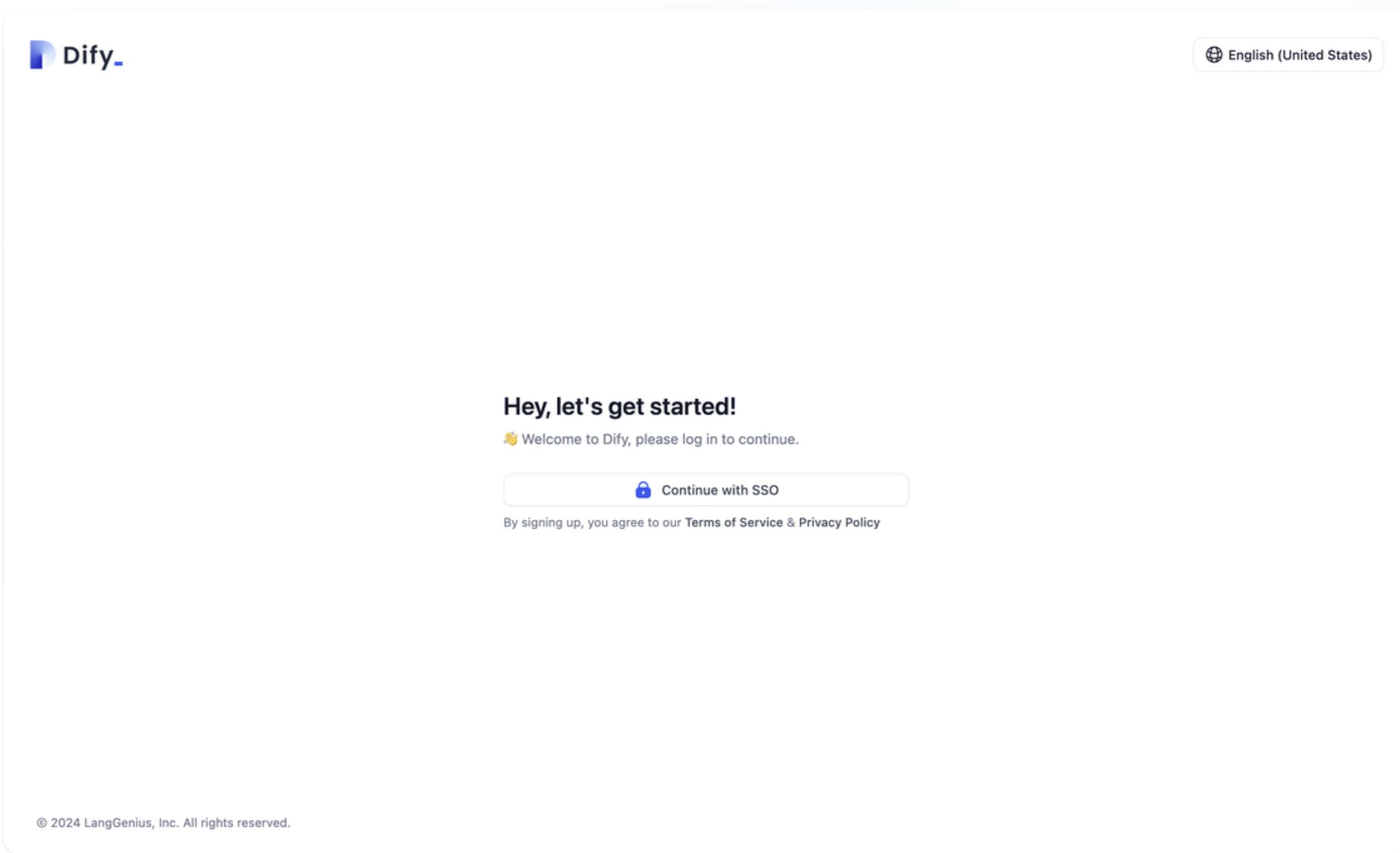 When setting up SSO, ensure you configure the correct callback URL in your identity provider. **Note that Workspace and Web App require different callback URLs** - please configure them accordingly.
For detailed SSO configuration instructions, please refer to [Enterprise SSO Configuration Guide](/en/3.10.x/administer/sso/introduction).
## Access Permission Management
### Workspace
System administrators can enable email and password authentication, email and verification code authentication, and Single Sign-On (SSO) authentication methods in **System Settings** → **Identity Authentication** → **Member**.

When users access the Dify Enterprise workspace, they'll see authentication prompts based on your configuration settings and gain access upon successful verification.
**User Registration Strategies:**
Here are the most common user registration strategies:
**Configuration:**
* Enable "Allow users to register accounts themselves"
* Enable "Allow system to automatically create personal spaces"
**Features:**
* Users can self-register and start using the platform immediately
* Personal workspaces are automatically created
* Suitable for open enterprise environments
**Configuration:**
* Disable "Allow users to register accounts themselves"
* Enable "Allow system to automatically create personal spaces"
**Features:**
* Registration is limited to administrator-invited users
* Personal space automatically created after registration
* Suitable for controlled enterprise environments
**Configuration:**
* Disable "Allow users to register accounts themselves"
* Disable "Allow system to automatically create personal spaces"
**Features:**
* All user operations require manual administrator approval
* Highest security level
* Suitable for highly sensitive enterprise environments
### Web App
When Web App access is set to **All Platform Members** or **Specific Platform Groups**, the authentication methods configured in "Enterprise User Authentication" (email/password, email verification codes, or SSO) will be automatically applied. Users not on the Dify Enterprise member list will receive an access denied message.
## Security Best Practices
### Authentication Strategy Recommendations
**Enable Multiple Authentication Methods**
* Use SSO as your primary method for centralized identity management
* Maintain email/password authentication as a fallback option
* Reserve email verification codes for emergency situations
### Session Management
**Session Security Configuration:**
* **Session Timeout**: Recommended 7-30 days, adjust based on security requirements
* **Concurrent Login Limits**: Restrict simultaneous logins per user account
* **IP Address Binding**: Implement IP whitelisting for enhanced security environments
### Password Policy
**Strong Password Requirements:**
* Minimum 8 characters, recommended 12+ characters
* Include uppercase and lowercase letters, numbers, and special characters
* Block commonly used weak passwords and dictionary attacks
* Enforce periodic password changes (every 90-180 days)
## Troubleshooting
### Common Issues
**Possible Causes:**
* SSO configuration not enabled
* Identity provider configuration error
* Network connection issues
**Solutions:**
Contact your system administrator to verify SSO configuration at **System Settings** → **Identity Authentication** → **Web App External User Verification**.
**Root Cause Analysis:**
No authentication methods are currently enabled, or all methods have been disabled by the administrator.
**Solutions:**
1. Check **Identity Authentication** → **Member** configuration
2. Enable at least one authentication method
3. Confirm email service configuration is normal (if using email verification code)
4. Test SSO connection status (if using SSO)
**Possible Causes:**
* SMTP email service configuration error
* Email server connection issues
* Invalid user email address
* Email filtered by spam
**Solutions:**
1. Verify SMTP server settings and connectivity
2. Confirm email server authentication credentials
3. Validate user email addresses
4. Advise users to check their spam/junk folders
5. Verify service status with your email provider
**Possible Causes:**
* Identity provider configuration error
* Incorrect callback address settings
* User lacks permissions in identity provider
* Network connection issues
**Solutions:**
1. Check identity provider configuration information
2. Confirm the callback URL is correctly configured
3. Verify user account status and permissions in your identity provider
4. Check network connectivity to your identity provider
5. Review system logs for detailed error messages
With proper enterprise user authentication configuration, you can deliver a seamless AI application experience while maintaining security. We recommend selecting authentication strategies that align with your organization's security requirements and user base size.
When setting up SSO, ensure you configure the correct callback URL in your identity provider. **Note that Workspace and Web App require different callback URLs** - please configure them accordingly.
For detailed SSO configuration instructions, please refer to [Enterprise SSO Configuration Guide](/en/3.10.x/administer/sso/introduction).
## Access Permission Management
### Workspace
System administrators can enable email and password authentication, email and verification code authentication, and Single Sign-On (SSO) authentication methods in **System Settings** → **Identity Authentication** → **Member**.

When users access the Dify Enterprise workspace, they'll see authentication prompts based on your configuration settings and gain access upon successful verification.
**User Registration Strategies:**
Here are the most common user registration strategies:
**Configuration:**
* Enable "Allow users to register accounts themselves"
* Enable "Allow system to automatically create personal spaces"
**Features:**
* Users can self-register and start using the platform immediately
* Personal workspaces are automatically created
* Suitable for open enterprise environments
**Configuration:**
* Disable "Allow users to register accounts themselves"
* Enable "Allow system to automatically create personal spaces"
**Features:**
* Registration is limited to administrator-invited users
* Personal space automatically created after registration
* Suitable for controlled enterprise environments
**Configuration:**
* Disable "Allow users to register accounts themselves"
* Disable "Allow system to automatically create personal spaces"
**Features:**
* All user operations require manual administrator approval
* Highest security level
* Suitable for highly sensitive enterprise environments
### Web App
When Web App access is set to **All Platform Members** or **Specific Platform Groups**, the authentication methods configured in "Enterprise User Authentication" (email/password, email verification codes, or SSO) will be automatically applied. Users not on the Dify Enterprise member list will receive an access denied message.
## Security Best Practices
### Authentication Strategy Recommendations
**Enable Multiple Authentication Methods**
* Use SSO as your primary method for centralized identity management
* Maintain email/password authentication as a fallback option
* Reserve email verification codes for emergency situations
### Session Management
**Session Security Configuration:**
* **Session Timeout**: Recommended 7-30 days, adjust based on security requirements
* **Concurrent Login Limits**: Restrict simultaneous logins per user account
* **IP Address Binding**: Implement IP whitelisting for enhanced security environments
### Password Policy
**Strong Password Requirements:**
* Minimum 8 characters, recommended 12+ characters
* Include uppercase and lowercase letters, numbers, and special characters
* Block commonly used weak passwords and dictionary attacks
* Enforce periodic password changes (every 90-180 days)
## Troubleshooting
### Common Issues
**Possible Causes:**
* SSO configuration not enabled
* Identity provider configuration error
* Network connection issues
**Solutions:**
Contact your system administrator to verify SSO configuration at **System Settings** → **Identity Authentication** → **Web App External User Verification**.
**Root Cause Analysis:**
No authentication methods are currently enabled, or all methods have been disabled by the administrator.
**Solutions:**
1. Check **Identity Authentication** → **Member** configuration
2. Enable at least one authentication method
3. Confirm email service configuration is normal (if using email verification code)
4. Test SSO connection status (if using SSO)
**Possible Causes:**
* SMTP email service configuration error
* Email server connection issues
* Invalid user email address
* Email filtered by spam
**Solutions:**
1. Verify SMTP server settings and connectivity
2. Confirm email server authentication credentials
3. Validate user email addresses
4. Advise users to check their spam/junk folders
5. Verify service status with your email provider
**Possible Causes:**
* Identity provider configuration error
* Incorrect callback address settings
* User lacks permissions in identity provider
* Network connection issues
**Solutions:**
1. Check identity provider configuration information
2. Confirm the callback URL is correctly configured
3. Verify user account status and permissions in your identity provider
4. Check network connectivity to your identity provider
5. Review system logs for detailed error messages
With proper enterprise user authentication configuration, you can deliver a seamless AI application experience while maintaining security. We recommend selecting authentication strategies that align with your organization's security requirements and user base size.