

moderationexternal_data_tool
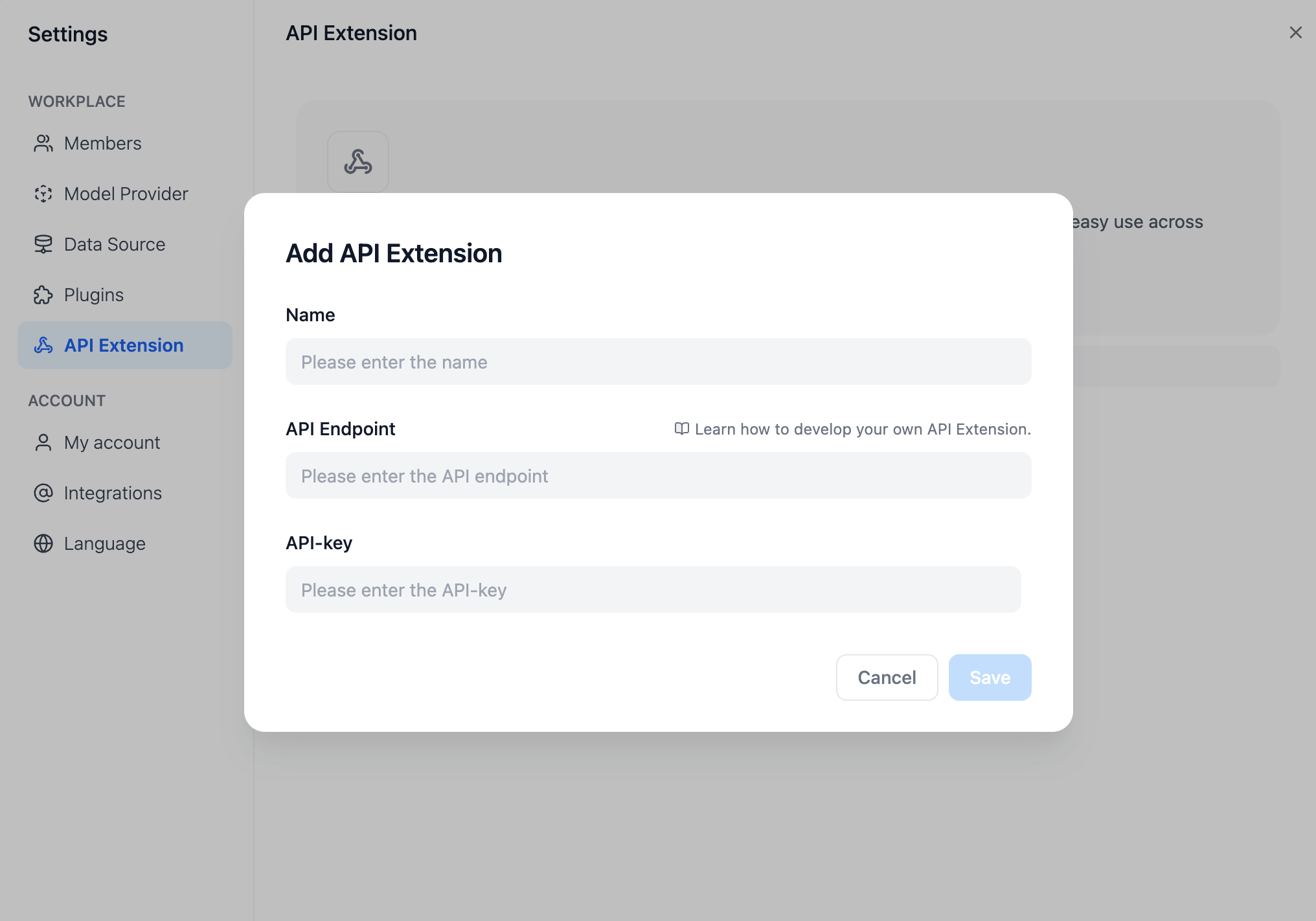
API Specifications
Dify will invoke your API according to the following specifications:Header
| Header | Value | Desc |
|---|---|---|
Content-Type | application/json | The request content is in JSON format. |
Authorization | Bearer {api_key} | The API Key is transmitted as a token. You need to parse the api_key and verify if it matches the provided API Key to ensure API security. |
Request Body
API Response
Check
When configuring API-based Extension in Dify, Dify will send a request to the API Endpoint to verify the availability of the API. When the API Endpoint receivespoint=ping, the API should return result=pong, as follows:
Header
Request Body
Expected API response
For Example
Here we take the external data tool as an example, where the scenario is to retrieve external weather information based on the region as context.API Specifications
POST https://fake-domain.com/api/dify/receive
Header
Request Body
API Response
Code demo
The code is based on the Python FastAPI framework.Install dependencies.
Write code according to the interface specifications.
Launch the API service.
The default port is 8000. The complete address of the API is:http://127.0.0.1:8000/api/dify/receivewith the configured API Key ‘123456’.
Configure this API in Dify.
Select this API extension in the App.
When debugging the App, Dify will request the configured API and send the following content (example):
Local debugging
Since Dify’s cloud version can’t access internal network API services, you can use Ngrok to expose your local API service endpoint to the public internet for cloud-based debugging of local code. The steps are:- Visit the Ngrok official website at https://ngrok.com, register, and download the Ngrok file.
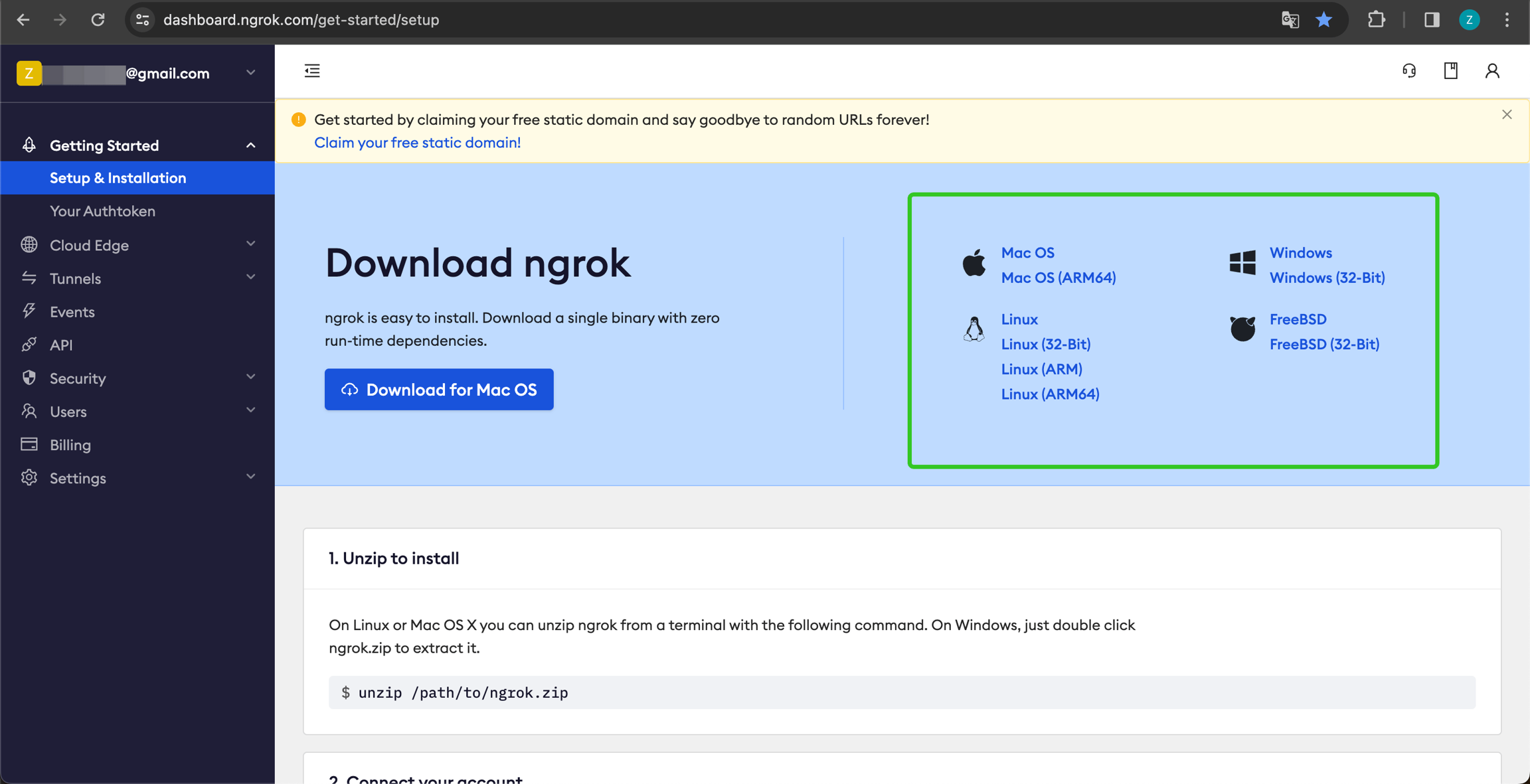
- After downloading, go to the download directory. Unzip the package and run the initialization script as instructed:
- Check the port of your local API service.
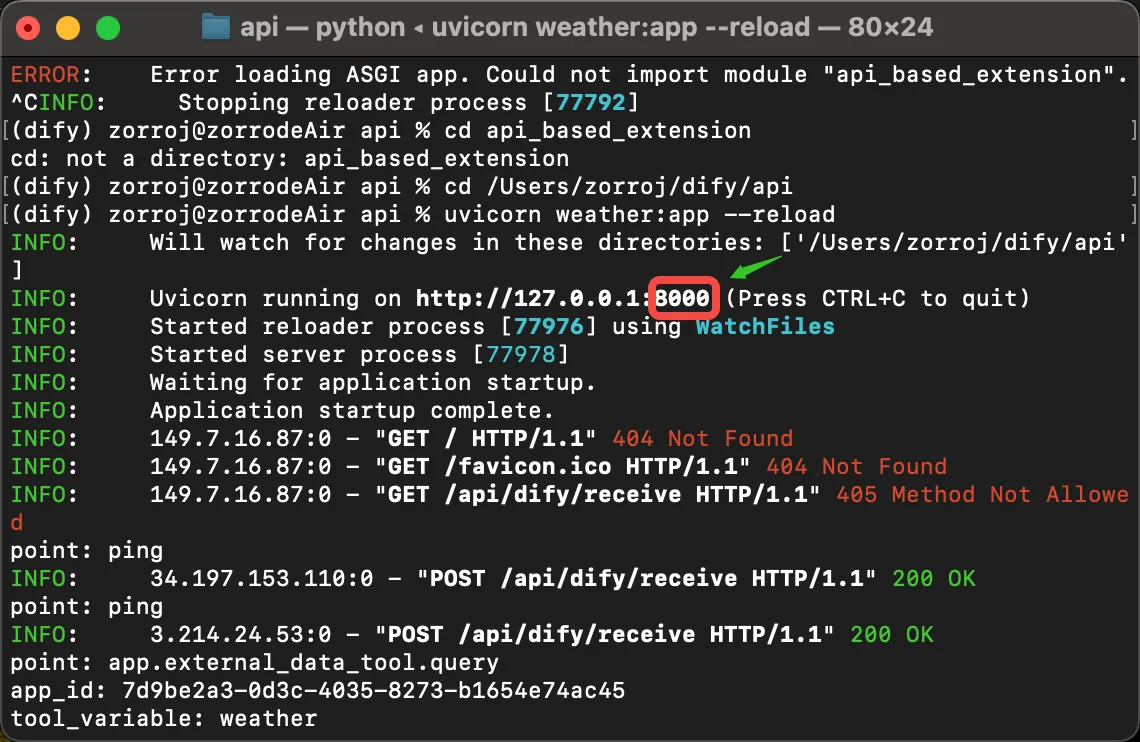 Run the following command to start:
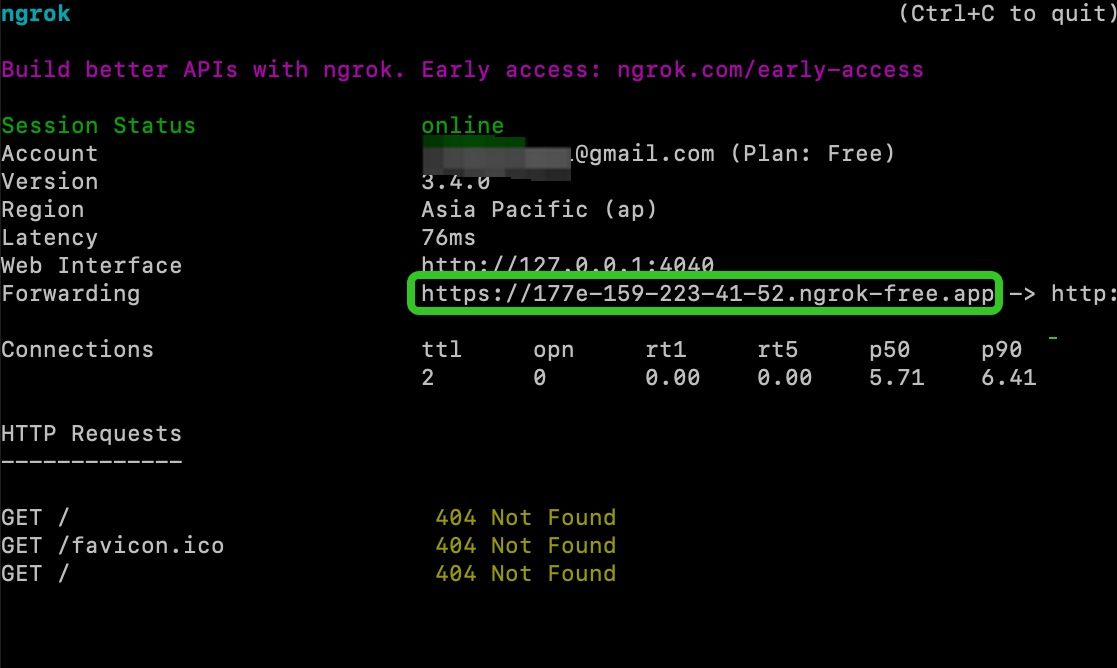
- Find the ‘Forwarding’ address, like the sample domain
https://177e-159-223-41-52.ngrok-free.app, and use it as your public domain.
- For example, to expose your locally running service, replace the example URL
http://127.0.0.1:8000/api/dify/receivewithhttps://177e-159-223-41-52.ngrok-free.app/api/dify/receive.
Deploy API extension with Cloudflare Workers
We recommend that you use Cloudflare Workers to deploy your API extension, because Cloudflare Workers can easily provide a public address and can be used for free. Deploy API Tools with Cloudflare WorkersEdit this page
Help improve our documentation by contributing directly
Report an issue
Found an error or have suggestions? Let us know