> ## Documentation Index
> Fetch the complete documentation index at: https://enterprise-docs.dify.ai/llms.txt
> Use this file to discover all available pages before exploring further.
# Template
Template lets you dynamically format and combine variables from previous nodes into a single text-based output using Jinja2, a powerful templating syntax for Python. It's useful for combining data from multiple sources into a specific structure required by subsequent nodes. The simple example below shows how to assemble an article by piecing together various previous outputs:
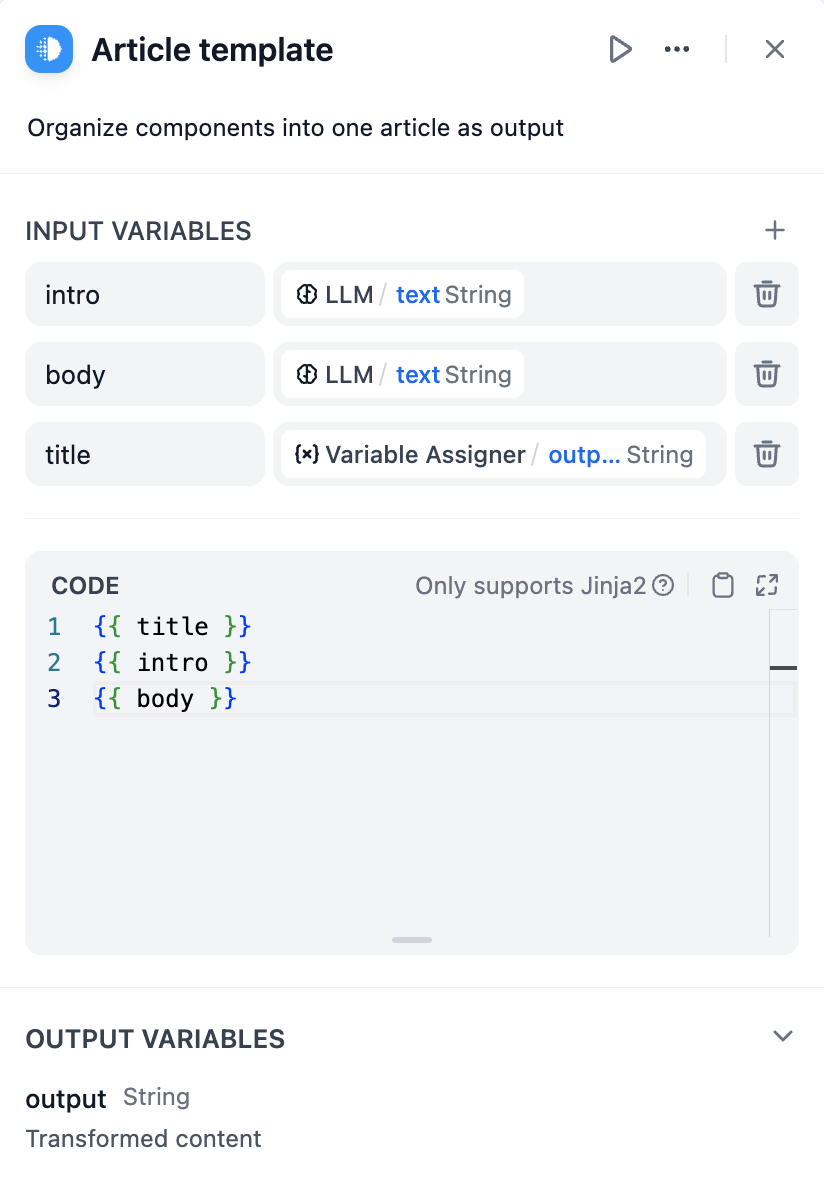 Beyond naive use cases, you can create more complex templates as per Jinja's [documentation](https://jinja.palletsprojects.com/en/3.1.x/templates/) for a variety of tasks. Here's one template that structures retrieved chunks and their relevant metadata from a knowledge retrieval node into a formatted markdown:
```Plain theme={null}
{% for item in chunks %}
### Chunk {{ loop.index }}.
### Similarity: {{ item.metadata.score | default('N/A') }}
#### {{ item.title }}
##### Content
{{ item.content | replace('\n', '\n\n') }}
---
{% endfor %}
```
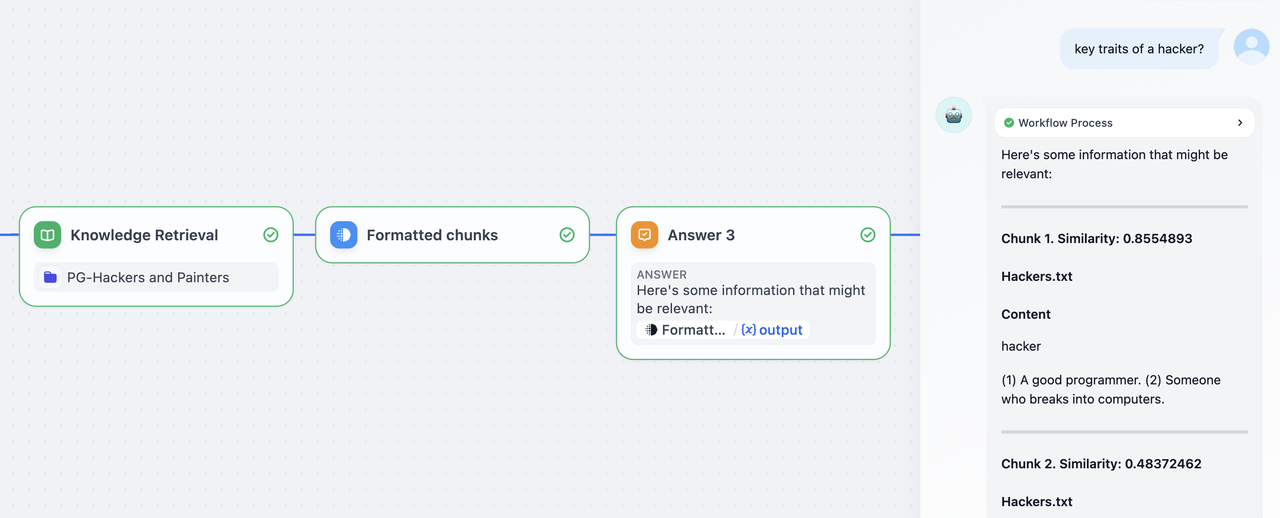
This template node can then be used within a Chatflow to return intermediate outputs to the end user, before a LLM response is initiated.
> The `Answer` node in a Chatflow is non-terminal. It can be inserted anywhere to output responses at multiple points within the flow.
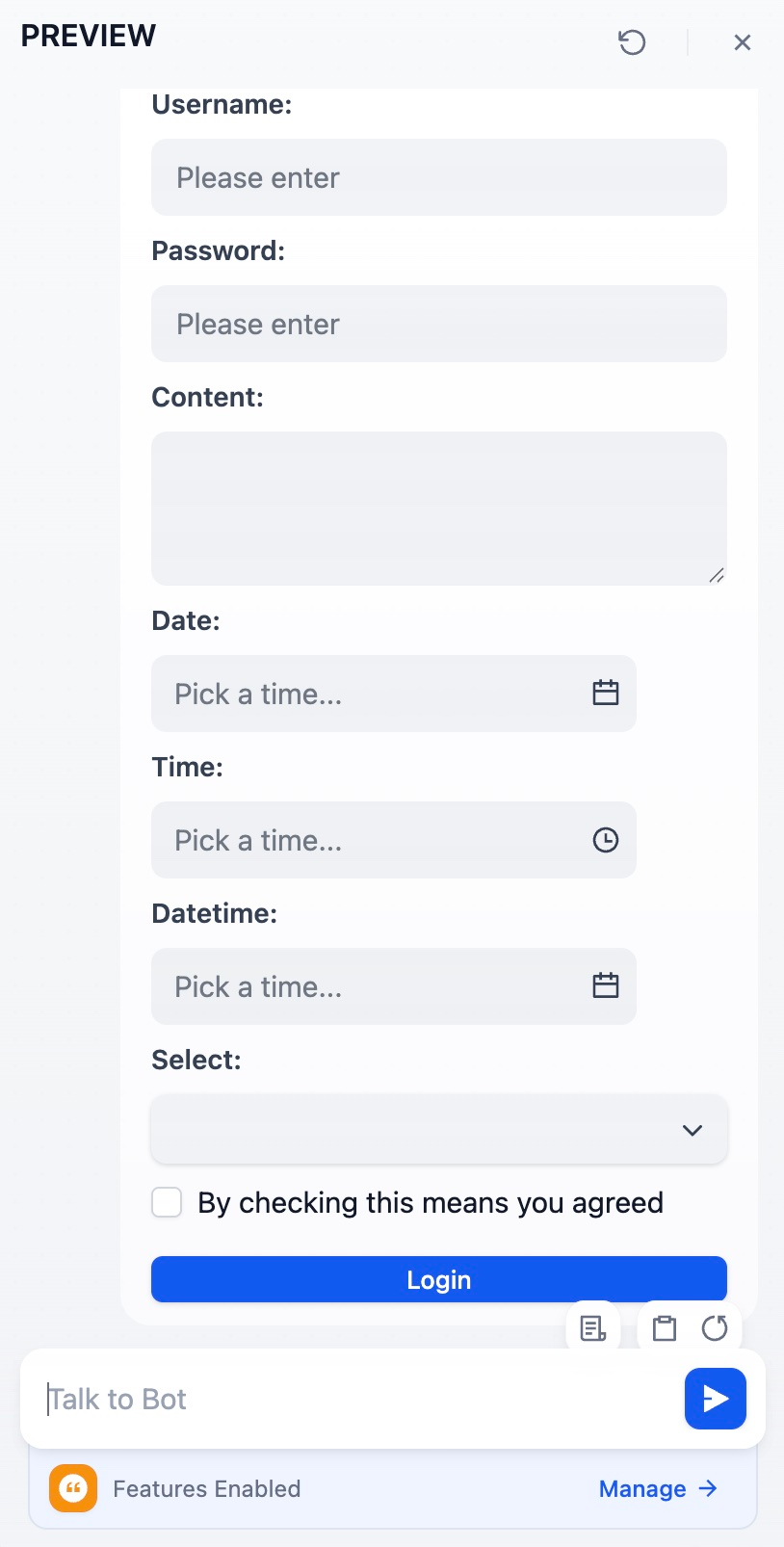
Example: Support for rendering HTML forms:
```html theme={null}
```
Beyond naive use cases, you can create more complex templates as per Jinja's [documentation](https://jinja.palletsprojects.com/en/3.1.x/templates/) for a variety of tasks. Here's one template that structures retrieved chunks and their relevant metadata from a knowledge retrieval node into a formatted markdown:
```Plain theme={null}
{% for item in chunks %}
### Chunk {{ loop.index }}.
### Similarity: {{ item.metadata.score | default('N/A') }}
#### {{ item.title }}
##### Content
{{ item.content | replace('\n', '\n\n') }}
---
{% endfor %}
```

This template node can then be used within a Chatflow to return intermediate outputs to the end user, before a LLM response is initiated.
> The `Answer` node in a Chatflow is non-terminal. It can be inserted anywhere to output responses at multiple points within the flow.
Example: Support for rendering HTML forms:
```html theme={null}
```
 Help improve our documentation by contributing directly
Found an error or have suggestions? Let us know
Help improve our documentation by contributing directly
Found an error or have suggestions? Let us know